
For decades, thinking about workplace accessibility was limited to ramps and elevators with braille on buttons — until hybrid and remote work reframed everything.
A work arrangement that was a pandemic-driven necessity turned into a massive opportunity: The surge in remote work helped lower barriers to employment for people with disabilities, contributing to an unprecedented increase in their workforce participation.
Simultaneously, AI has made assistive technology so sophisticated that people with disabilities can dream bigger and truly thrive in the world.
Yet this progress remains fragile. Digital barriers have replaced physical ones — and they’re often harder to notice.
In this guide, we examine the fundamentals of digital accessibility in hybrid workplaces and provide actionable changes human resources teams can implement immediately. We’ll explore what digital accessibility means in practice, outline key strategic considerations, and share eight concrete ways to build workplaces that work for everyone.
What is digital accessibility?
Digital accessibility means that digital products like apps, websites, gadgets, smart appliances, and more are designed such that people with disabilities can perceive, understand, navigate, and interact with them. In the context of hybrid and remote organizations, this covers the work environment and practically all routine workplace processes: virtual meetings, presentations, project collaboration, file sharing, performance management, intranet communication, paperwork, and much more.
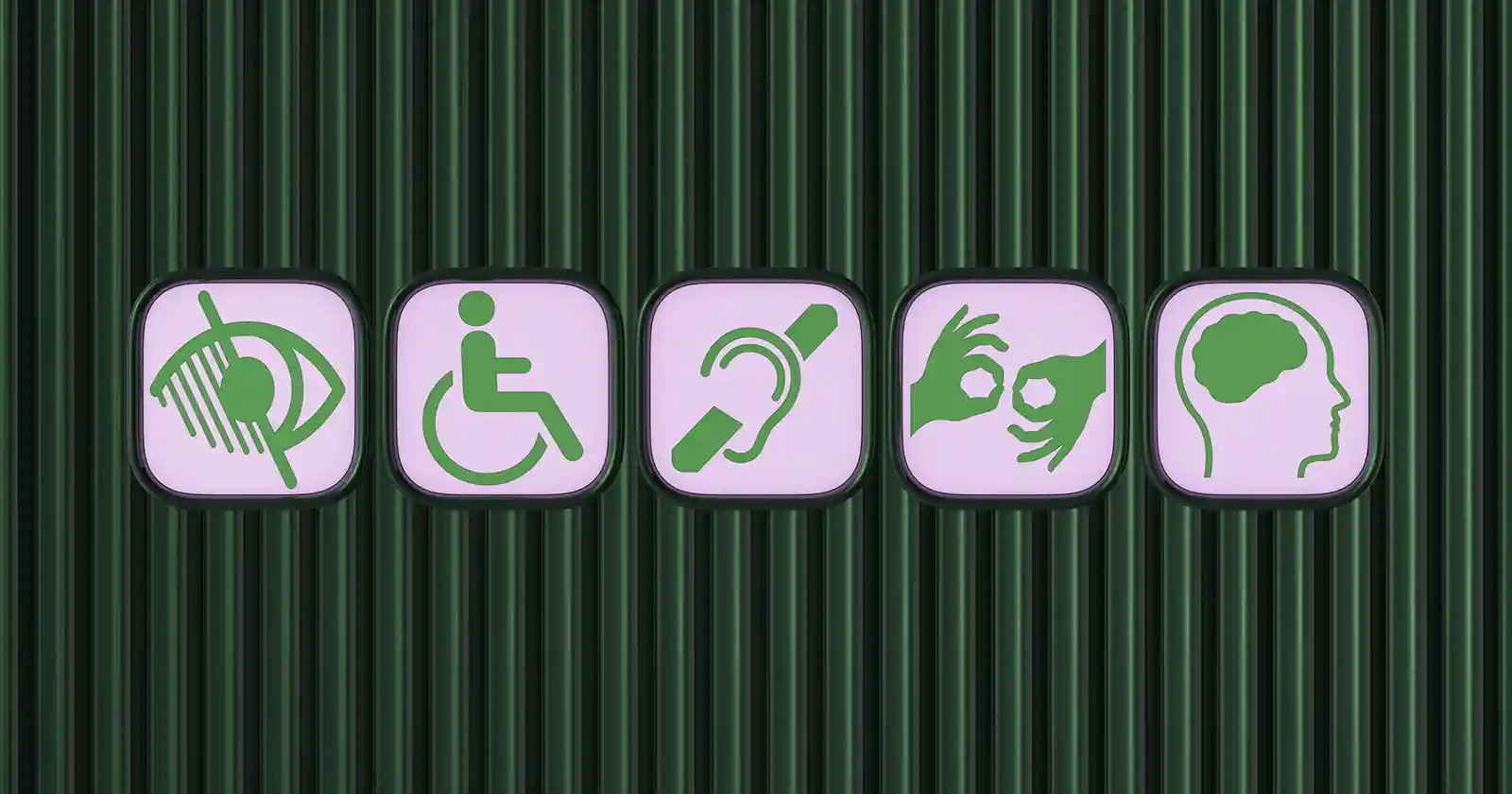
Digital accessibility frameworks generally address the following types of accessibility needs: visual, hearing, neurological, motor, and cognitive. Designing digital technologies to meet these needs could look like:
- Formatting web pages with clear headers and intuitive navigation to enable screen-reading technology to pick up the content easily
- Providing closed captions and sign language interpreters for online meetings to benefit deaf or hard-of-hearing team members
- Making software and websites keyboard-navigable, so individuals with motor skills won’t have to struggle with computer mice or trackpads
Why Digital Accessibility Matters (and More Than Ever)
In modern workplaces, digital accessibility is inseparable from inclusivity. Here’s why.
- More people are self-identifying with disabilities: Since the start of the pandemic, the rate of self-reported disability among Americans has grown, with cognitive difficulties topping the list. This increased self-identification rate was particularly prevalent among younger Americans.
Many of our colleagues, coworkers, and leaders are currently living with disabilities — and even more will experience one in the future. Digitally accessible workplaces are no longer a lucky advantage. They’re keenly felt necessities without which millions cannot contribute optimally to their organizations or make the most of their talents.
- Digital accessibility improves organizational culture: “When accommodation practices are embedded into everyday operations — rather than treated as exceptions — they improve not only compliance, but employee experience, retention, and long-term organizational effectiveness,” said Rachel Shaw, disability, leave, and workplace accommodation compliance expert and author of The Disabled Workforce: What the ADA Never Anticipated.
- Accessible design benefits everyone: Accessibility-minded interventions smooth the way for everyone, not just those who depend upon accommodations. Consider the fact that Americans 55 and older make up the fastest-growing segment of the country’s workforce. A fit sixty-year-old woman might not normally have trouble climbing stairs, but wouldn’t a ramp be welcome if she is carrying a duffel bag?
- Accessible design brings people together: “Designing for accessibility today means accepting that work is always part of life, and that people move through very different physical, cognitive, and emotional capacities across longer working lives,” said Marisa Toldo, architect, culture designer, and founder of Porto Dome, a care-integrated workplace infrastructure model. “It’s about intentionally creating conditions for connection and exchange. When workplaces design for those relationships, they build bridges rather than create separation, and they counter much of the isolation many people are still carrying since the pandemic. Accessibility becomes something shared, not exceptional, and one of the quiet reasons people stay, contribute, and keep going over time.”
{{rich-highlight-4}}
Creating a Digital Accessibility Strategy: 3 Things to Consider
If you’re planning to establish or redesign accessibility programs at your workplace, it’s worth keeping the following in mind.
1. Disabilities can be invisible.
The US Centers for Disease Control and Prevention found that 13.9% of US adults have serious difficulties concentrating, remembering, or making decisions. Such cognitive struggles can often go unnoticed — but they’re the most prevalent form of disability in the country.
“One thing that’s incredibly helpful to understand about invisible illness is that it’s referred to as ‘invisible’ because people living with it generally ‘look fine,’” said Kim Peirano, consultant at Integrity Catalyst, a leadership development firm. The individual’s capacities ebb and flow constantly. “We can do a presentation, show up, get our work done, and look like we aren’t sick at all. But for many, a lot of effort, socializing, or heavy micromanagement (which is a good thing for no one) can trigger crashes and days-long recoveries.”
2. Many disabled individuals are reluctant to disclose their disability status.
Workplace disability self-identification systems often appear to undercount disabled employees, likely because disclosure is voluntary and shaped by stigma, privacy concerns, trust, and psychological safety (or lack thereof). Disability:IN’s 2025 Disability Index Report found that the median international employee self-identification rate was just 3.5%.
Before introducing new tools or policies to a workplace, Toldo always checks whether people feel safe enough to be honest about how work fits into their lives. “In hybrid and remote settings, I often see that support technically exists, but people don’t feel comfortable using it,” she said. “Accommodations are offered, but are quietly discouraged due to pace, meetings, or expectations.”
One danger that can emerge from a scenario like this is “masking,” in which individuals hide symptoms of their difficulties. Because masking “requires cognitive and emotional energy,” it can harm employees over time, explained Jamie Shapiro, PhD, CEO of Connected EC and author of Connected Culture: The New Science for Thriving Teams and Cultures.
“You see people mask and mask and mask, and then they get sick. Or they break down, and they come to you crying or upset and not knowing what to do, because they’ve reached a breaking point before you even knew something was wrong — even if you suspected something,” said Jes Osrow, cofounder and chief operating officer of The Rise Journey, an HR and organizational development consultancy. “And usually it becomes an extreme case, whether that’s taking leave, FMLA, caretaking for someone else, or dealing with medical or mental health issues the employee hasn’t thought about or dealt with.”
This is why HR needs to adopt a proactive rather than a reactive approach to creating an inclusive environment, providing resources, and answering questions before they arise. Toldo suggests reducing friction by providing clear guidance on things like expected response times, how meetings are used, and what flexibility really means in day-to-day situations.
“When work becomes more predictable and psychologically safe, people stop masking exhaustion or hiding caregiving realities just to be seen as ‘professional,’” she said. “That’s where accessibility really begins, not with disclosure, but with environments that don’t require constant self-negotiation.”
3. The regulatory landscape is still evolving.
According to the American Bar Association, over the past decade, companies big and small have experienced an upswing in litigation over allegations that businesses’ digital assets (including websites and mobile applications) are inaccessible to individuals with disabilities. Because costs often outweigh the benefits of going to trial, many cases are settled out of court at a considerable expense.
This litigation surge stems partly from the lack of clear, concrete federal standards for private-sector digital accessibility laws. Although attempts have been made, there is still a long way to go. And the chaos around diversity, equity, inclusion, and belonging (DEIB) in the current political climate does not make things any easier.
Here are some laws, standards, and guidance material to be aware of anyway:
- Web Content Accessibility Guidelines (WCAG): The WCAG 2.1 is the internationally recognized accessibility standard for web content and mobile apps referenced by courts in the US and EU. The UK has adopted the WCAG 2.2 as part of its government accessibility requirements. To determine whether your website complies with these guidelines, run a thorough web accessibility audit with an organization such as WebAIM.
- Section 508 of the Rehabilitation Act of 1973: Section 508 requires federal agencies to ensure their information and communication technology is accessible to individuals with disabilities. This Technology Accessibility Playbook provides guidance on Section 508 compliance, aimed at chief information officers, chief acquisition officers, and accessibility program managers.
- Americans with Disabilities Act (ADA): The ADA protects people with disabilities through its rigorous nondiscrimination rules. A 2024 rule under Title II of the ADA established technical requirements for the accessibility of government-operated websites and mobile applications. The US Equal Employment Opportunity Commission has also issued guidance on remaining ADA-compliant when using AI, algorithms, or software-based hiring tools.
Accessibility by (Systems) Design: A Mindset Shift
Accessibility is not just about wheelchair access or the availability of assistive devices. It is about an entire system, at times across geographical borders, tuned to help individuals do their best work regardless of their disability status.
“I would encourage HR to move from accommodation thinking to design thinking,” said Shapiro. “When we build workplaces that honor how people actually function, not how we wish they would, both wellbeing and performance rise together.”
Design for energy, not endurance.
Many workplaces still reward the employee who is always available, always responsive, and ever-willing to push past capacity without complaint. Companies signal this by asking job applicants about their willingness to work 72-hour workweeks and by welcoming new employees with a mattress in the office.
But that’s not optimal for accessibility or performance.
“In my vitality research, we see that performance is highest when people can regulate energy, not when they are forced to override their nervous systems,” said Shapiro. “Flexible pacing, fewer unnecessary meetings, and clarity of priorities disproportionately benefit neurodivergent employees, but also improve outcomes for everyone.”
Normalize multiple ways of thinking, communicating, and contributing.
“A neurodivergence-affirming culture explicitly values different cognitive styles,” said Shapiro. “That means offering options: written vs. verbal processing, asynchronous input, and varied collaboration norms.”
{{rich-highlight-2}}
Focus on outcomes, not conformity.
In Shaw’s experience, managers often resist allowing work to be done differently, even when the outcome remains the same or improves.
“That resistance is frequently paired with an assumption that a disabled employee will do less or perform at a lower level if an accommodation is provided,” said Shaw. “In reality, that assumption is rarely true. In many cases, these adjustments simply remove unnecessary friction, allowing the employee to perform more effectively,” she added.
8 Ways HR Can Make Workplaces More Accessible
While creating an inclusive workplace should be everyone’s concern, HR often leads the charge when an organization doesn’t have a dedicated accessibility team. Here are some actionable ways to improve digital accessibility at your organization.
1. Create an accessibility statement.
An accessibility statement on your website, accessibility policies, and internal communications all anchor your commitment to inclusivity.
“Be clear on your website and on your recruitment pages or any job-related pages. Say, ‘Hey, we take disability seriously, and this is how we handle it at Company X,’ or ‘Our employee resource groups on disability and mental health are really incorporated into this process,’” said Osrow. “Just putting it out there — naming it — takes away a lot of fear and ambiguity.”
Here’s how our accessibility statement at Lattice begins:
“At Lattice, we view accessibility not just as a compliance requirement, but as a fundamental aspect of good design and an opportunity to enhance usability for everyone. Our goal is to deliver products that are intuitively usable for all individuals.”
Further on, we outline the concrete steps we are taking to improve our products and services.
Remember, accessibility statements only help if you follow through. “Because if you say, ‘We accommodate,’ and then you don’t, that’s when you get negative Glassdoor reviews, and that’s when word gets around that this employer backs out,” Osrow added.
2. Ensure assistive devices are available to employees, and consider accessibility in the procurement process.
Some team members will require assistive technology, such as screen readers, speech-to-text software, text-to-speech software, or alternative input devices. To ensure digital accessibility, you can provide these for them.
Additionally, work to embed inclusivity in the procurement process and evaluate accessibility features when making software or hardware purchasing decisions. To do so, when selecting or renewing technology vendors, request an ITI Voluntary Product Accessibility Template (VPAT®), which documents how a product meets accessibility standards and allows for objective comparison of vendor claims. The best accessible workplace technology is designed around the user experience for people with disabilities rather than tacked on as an afterthought.
3. Learn the nuances of inclusive communication.
Use disability-inclusive language in internal content creation — onboarding docs, benefits guides, internal wiki pages, and so forth. When speaking about disabilities, it’s generally advised to use people-first language. For example, instead of “disabled people,” use “people with disabilities.”
But note that not everyone appreciates this. Consider author Sol Smith’s perspective in The Autistic’s Guide to Self-Discovery, “It’s important to me that I say, ‘I’m autistic,’ and not ‘I have autism,’ because I don’t even know what that would mean. It would be like saying, ‘I have human.’” Smith explained, “Autism is a description of who I am and who other autistics are and not at all an affliction that haunts us.”
There is tremendous diversity within the disabled community, and unless you’re very familiar with a person, it’s not always possible to get inclusive language right all the time.
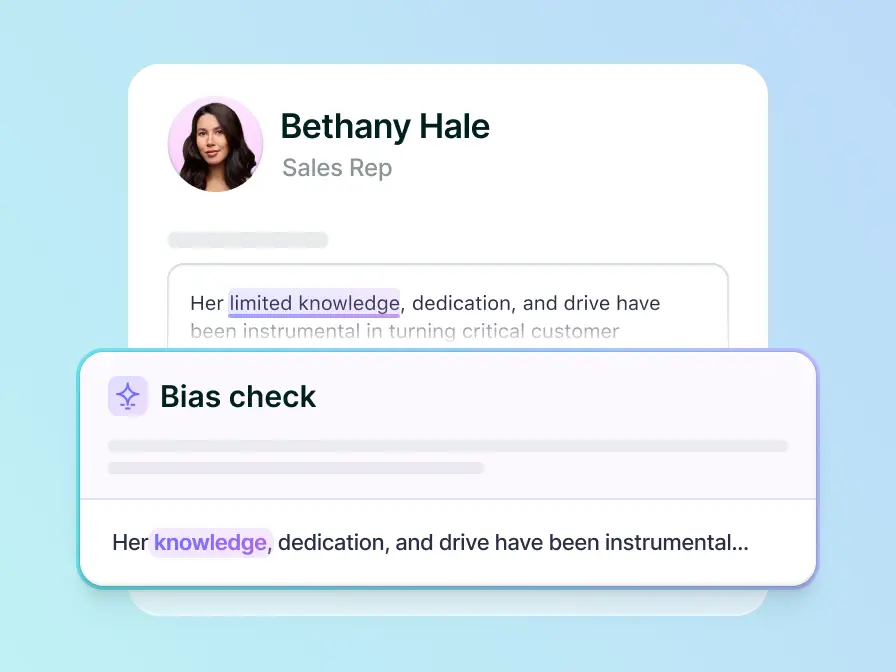
You can minimize these awkward moments with Lattice AI, which provides users with real-time writing recommendations that highlight bias when it pops up, so the message goes out into the world already vetted for inclusivity.
4. Use Universal Design principles for internal communications.
Universal Design (UD) is defined as “...the design and composition of an environment so that it can be accessed, understood, and used to the greatest extent possible by all people regardless of their age, size, ability, or disability.”
A UD mindset is geared toward identifying the most accessible option, guided by seven principles. It’s a great model for HR professionals for crafting environments with diverse needs in mind.
For example, one of the principles is flexibility in use, where “The design accommodates a wide range of individual preferences and abilities.” Accordingly, an international video conference call may incorporate the following:
- AI-generated captioning and transcripts for audio and visual content
- The practice of announcing oneself before speaking on a call, and verbally describing images or visuals used in presentations
- The distribution of presentation slide decks or agendas in advance
- The opportunity to review the contents with a meeting recording after the call
5. Ensure an accessible job application process.
Online application and hiring practices can create significant barriers for the talent pool of people with disabilities.
If you don't have any accessibility accommodations in your existing processes, begin by proactively asking questions like ‘Are there any reasonable accommodations that we can provide?’ in your communications. “I think asking that shows that the company is dedicated to helping and dedicated to recruiting folks with disabilities,” said Osrow.
Once you start doing this, ensure you’re acting on the answers you receive. “If you consistently hear, ‘I need a screen reader,’ or ‘I’d love the interview questions beforehand,’ start incorporating that into your process as a regular part of it rather than an accommodation,” added Osrow. Then, make it amply known that you are offering this type of support. “Note that in the recruitment process. Note that in the follow-up emails that get sent.”
6. Organize disability-inclusion workshops for all employees.
It takes a village to create an inclusive, psychologically safe environment, and that means no employee is too young, too new, or too siloed in their role to make an impact. Here’s where disability inclusion education comes in.
“It’s not just about improving digital accessibility, but helping people understand the ‘why’ behind it,” said Brittany Martin Déjean, keynote speaker, facilitator, and founder of Inclusion Jumpstart. “The reality is that many, many people believe misconceptions about disability to be true, and it influences how they prioritize accessibility. Disability inclusion is about transforming perspectives on disability so that people debunk common myths and stop making assumptions that lead to exclusion and discrimination.”
For best results, consider hiring accessibility consultants or partnering directly with organizations like Understood and Lifeworks, which advance employment for specific disability demographics.
7. Make accessibility surveys part of employee feedback.
If you don’t know, ask. What do your employees need? What are their roadblocks to performing at their best? Keep conversations going about tech needs, software accessibility hurdles, ergonomic requirements, and any other accommodations through anonymous employee DEIB surveys.
Let staff members know that self-identifying as an employee with a disability is optional, but that doing so supports more granular feedback and data, which can help improve digital accessibility across the organization. For example, in your employee handbook or DEIB policy, you could say something like, “We’re using this information to ensure we prioritize specific needs of employees, in addition to our universal accessibility measures.”
It goes without saying that your survey and feedback platforms should also be accessible — like Lattice Engagement, which is WCAG-compliant — and account for different needs with elements like color contrast, screen reader support, and simplified language.
{{rich-highlight-3}}
8. Support your managers.
Managers sit at the center of disability inclusion as conduits of company culture. Because they interact daily with their reports and sometimes support entire departments, their words and actions can make or break disability inclusion efforts.
“Most harm doesn’t come from malice; it comes from poorly handled moments. How managers respond when someone discloses [their disability] matters more than what’s written in policy,” said Shapiro. “People need to know that asking for accommodations, or naming constraints, won’t lead to subtle penalties later. That means clear processes, transparent decision-making, and consistency between stated values and lived behavior.”
This is why workshops for managers should go beyond disability awareness education, and cover things like:
- How to handle difficult performance feedback conversations
- How to manage the expectations of colleagues and direct reports
- How to distribute workloads during periods of high pressure or when key members of projects are taking paid time off
Managers who already have a lot on their plate might need a little more support, especially if they’re struggling with invisible disabilities too.
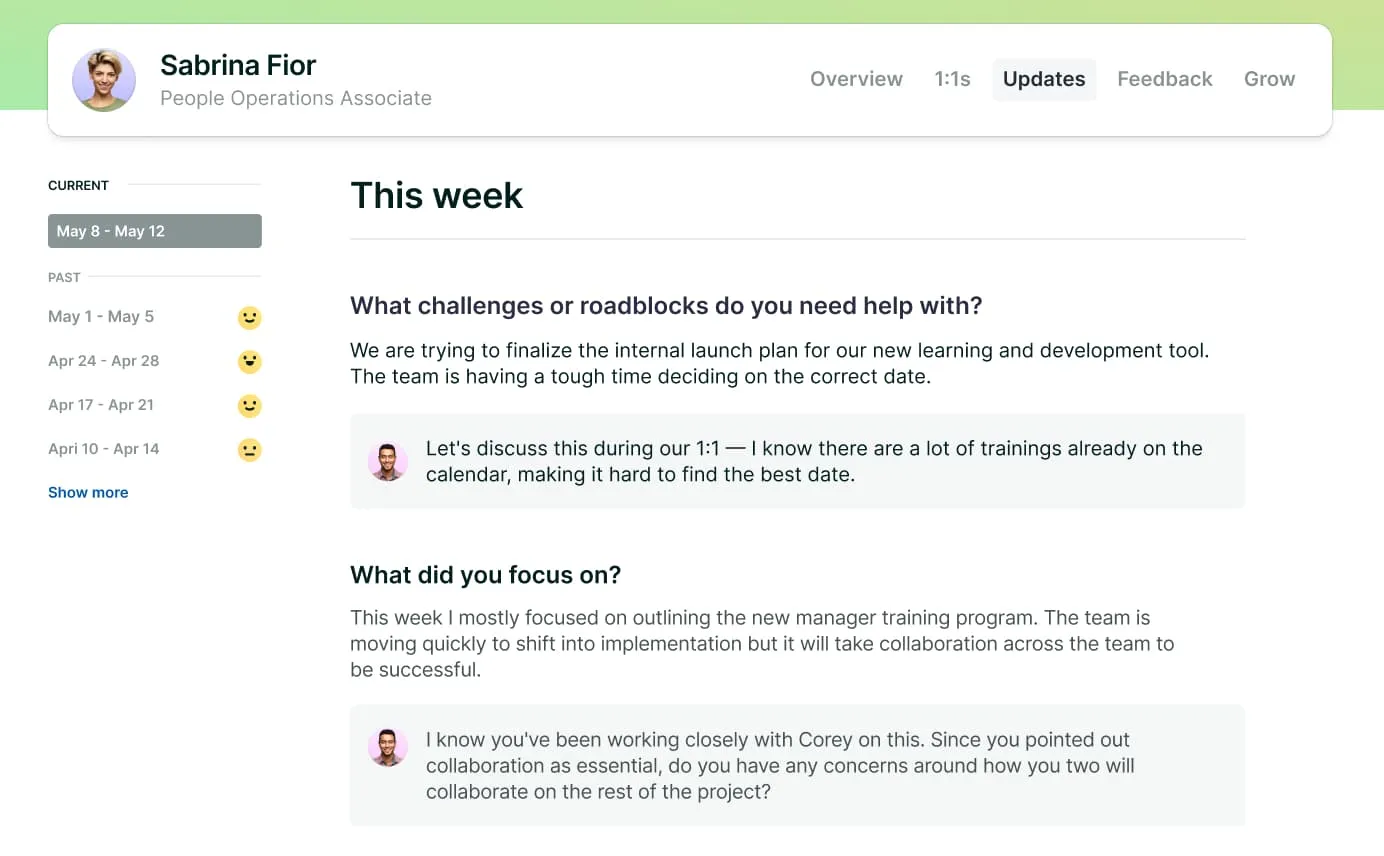
The Lattice people platform eases their cognitive load by providing AI-driven insights derived from extensive data from one-on-one meetings, performance reviews, and status updates. Managers can use these to identify accessibility barriers and intervene quickly where additional support may be needed.
{{rich-highlight-1}}
Build a culture of access and equity with Lattice.
There is a lot to do, but the best way to start is by auditing your current digital workplace accessibility efforts and identifying areas for improvement.
If you’re searching for tools with inclusion at the heart, consider Lattice. Book a demo to discover how our AI-powered suite of tools supports more inclusive, accessible experiences across performance, engagement, and communication.
Take Lattice Performance for a spin.
Tools like Lattice Performance offer features that enable flexible, asynchronous management for those who need extra time or sensory accommodations.
Ask the right questions, get better insights.
Use this free template to get a deeper understanding of inclusion, psychological safety, and belonging.
Understand your employees better.
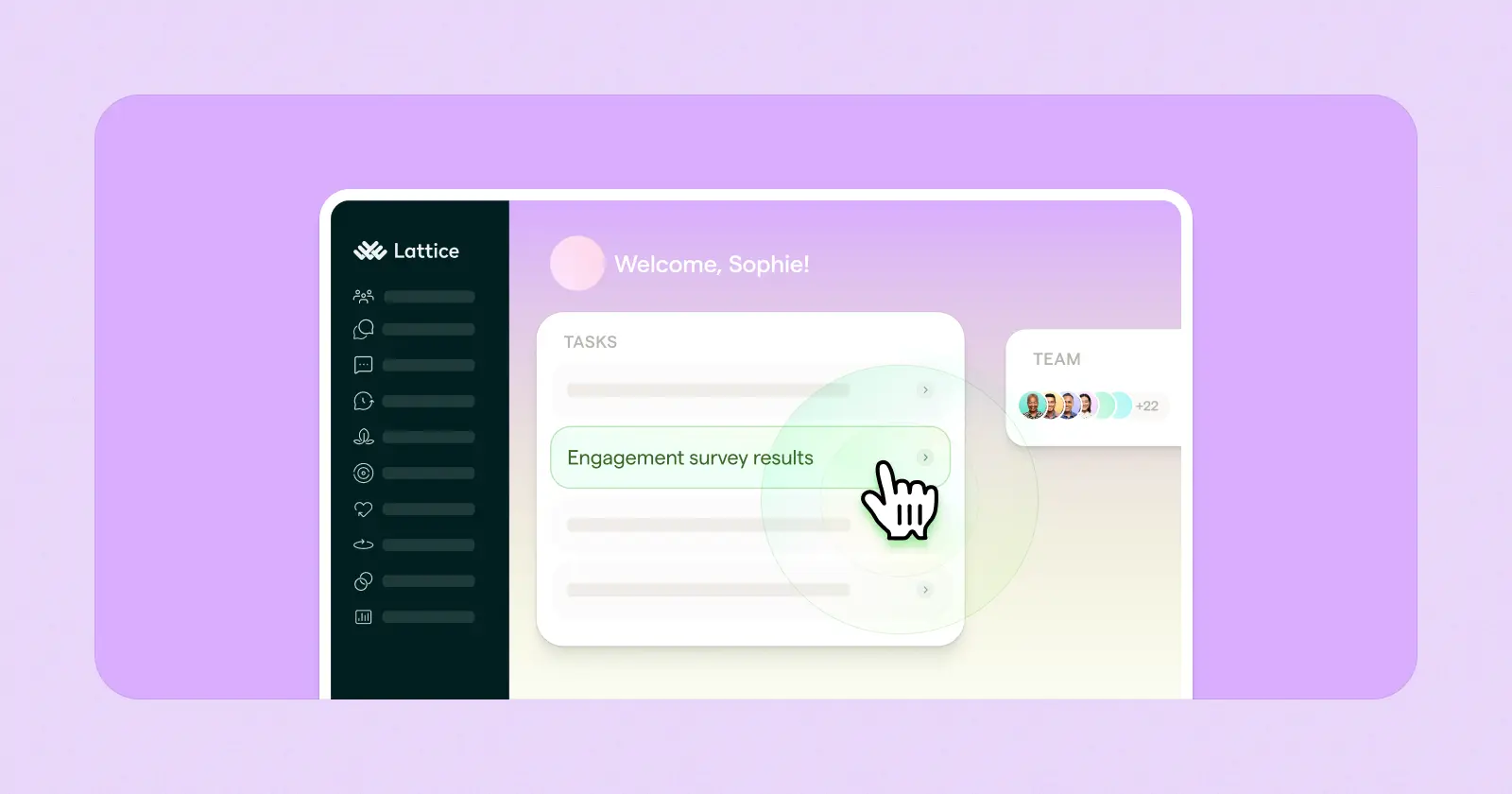
Listen, understand, and internalize how your people strategies shape the employee experience. See how Lattice Analytics can help with a self-guided tour.