

HR is being asked to use AI more each day. In fact, our 2027 State of People Strategy Report found that 51% of HR is feeling pressure from executives to use AI to increase their own efficiency. And while 62% believe they’re delivering sufficiently on that expectation, that leaves over a third of HR feeling like they’re falling behind.
So, you have to use more AI, but how? It’s not entirely intuitive, and HR already has a lot on their plate. It probably feels like being asked to build a machine you’ve never heard of by reading instructions in a foreign language. And last we checked, IKEA doesn’t sell HR programs.
But what if you could work with AI tools in plain language? Enter the modern context protocol (MCP), which can be transformative for people teams: Connect the work you’re already doing in your tech stack to your everyday AI tool such as Claude or Chat, and use it to automate ongoing work, build repeatable workflows, and get answers about your people data without having to spend hours digging.
If you’re already hungry for MCP prompts and skills, you can jump straight to our free MCP library where you can copy, customize, and implement on your own prompts and skills.
But if you’re still building your AI fluency, and hoping to become more advanced, stick around for an ELI5 guide to using MCP skills for your HR workflows.
What is an MCP?
An MCP is a way to connect the data that’s stored in your tech stack to an LLM. In the simplest of terms, the MCP gives an LLM access to Lattice, Slack, or other tools where work is happening. That connection point allows you to ask Chat or Claude for help with tasks like drafting performance reviews for your direct reports, requesting feedback right after a project wraps, and more. Soon, you’ll even be able to analyze people data without having to copy and paste all the data from your people management platform.

You connect your LLM to Lattice and then chat normally. You can ask questions like “What feedback has [name] received this year? What patterns should I bring up in our next 1:1?” or “I'm a new manager on this team - give me a rundown on [name] using their last two reviews and updates.”
Those are just one-off prompts that your LLM can answer with Lattice MCP. But the real magic lies in a new territory: building repeatable workflows that provide answers on a regular basis, without constant prompting. Those are called skills.
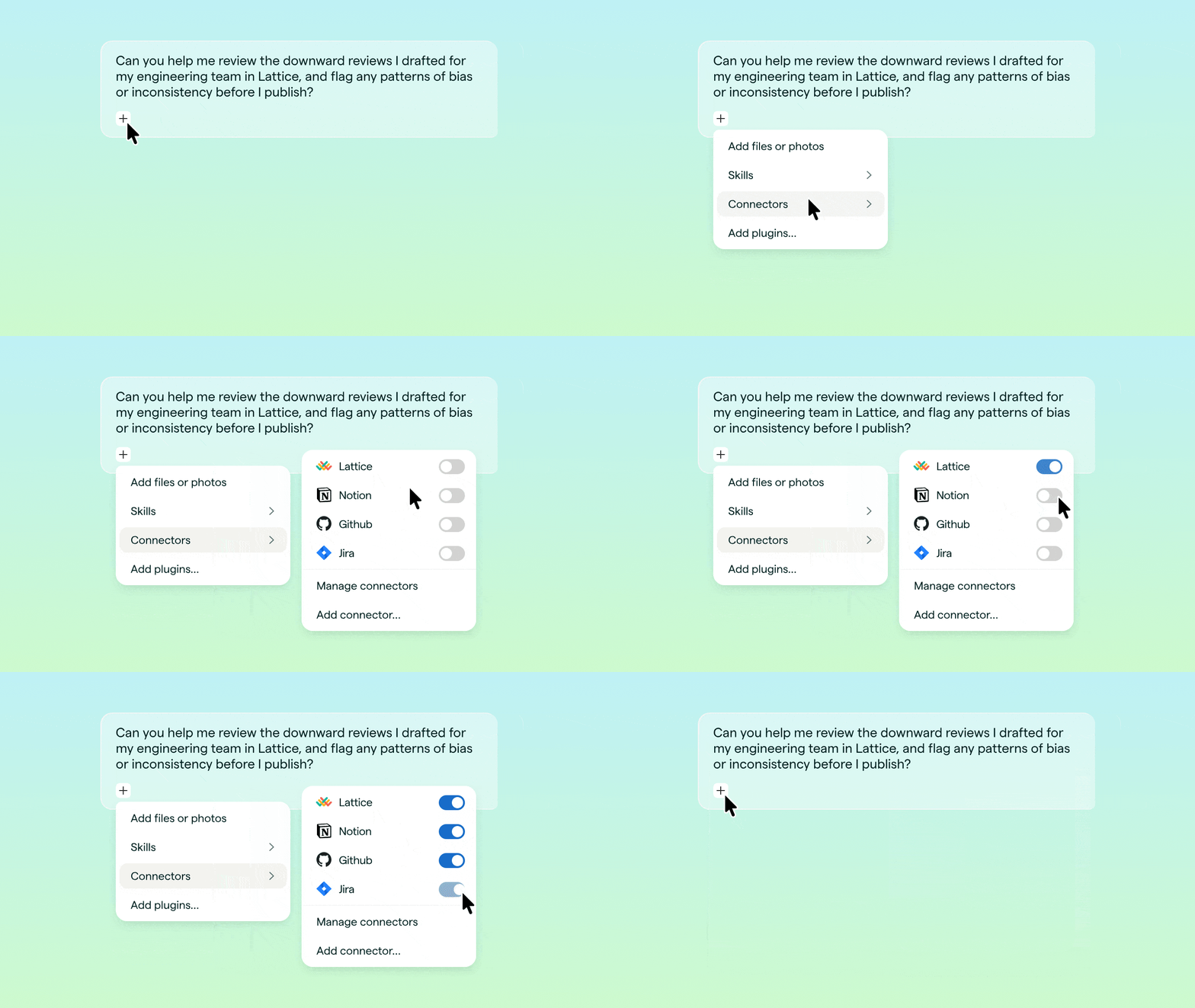
What’s the difference between an AI prompt and an MCP skill?
You’re probably familiar with AI prompts by now: A question or request that users input to a large language model (LLM) like ChatGPT, Claude, Codex, or Glean, which returns an output or answer. Lattice has an MCP prompt library where you can find and use dozens of these:
Example: Design a career track for [role] in [department] using the following [specifications and formatting].
A skill, on the other hand, is a little more evolved than a human possessing the basic digital skills needed to use AI tools, such as knowing how to write prompts, chat with an LLM, or create a workflow. In this context, a skill is a reusable set of instructions that helps an LLM complete a specific workflow. The result is an ongoing, autonomous workflow performed by an AI tool after being prompted by the user (that’s you!).
Example: Build me a career track for [role] in [department], while referencing:
- Our existing job architecture, compensation levels, values, competencies, and ownership capacity.
- Relevant Lattice structure and representative Grow assignments I’m permitted to access.
- The simplest maintainable model, including shared, manager, job-family, and optional role-specific layers; level differentiation; ownership; and review cadence.
Then, show me the recommendation and tradeoffs before drafting any competencies.
In this example, the prompt output is a one-off career track, but the skill is a repeatable set of instructions that you can reference every time you want to build out new career tracks and scale across departments. The benefit of the skill is the output will be in the same format every time, while also pulling from updated data in Lattice, Notion, or wherever else your LLM is connected via MCPs. You’d be able to say something like this to your LLM:
While a skill does require the AI tool to be open and running in an app or browser, it can be paired with a scheduled task to perform autonomously without needing to be repeatedly reminded or requested after the first instance.

Wait, is that secure?
Glad you asked. HR is more aware than anyone that employee data is very sensitive, high risk, and must be stored securely. So it’s good to wonder whether connecting an LLM might inadvertently give employees access that they shouldn’t have.
Lattice MCP follows the same robust set of permissions, security, and guidelines as the native Lattice application. Users will only be able to access the data they can already access in Lattice, it does not broaden their visibility past that.
So long as you’re using your company’s enterprise account — not your personal LLM account — to connect to Lattice MCP, the same parameters apply as are already stated in your company’s broader AI usage policy.

Examples of MCPs for HR and Managers
Depending on where you are in your AI journey, this might seem like opening a can of worms for a fishing pole you don’t even have yet. But MCPs and their associated skills can actually be more like foregoing that pole in favor of a net — a means of consolidating way more work, no worms required.
Below are some examples of use cases where MCPs can do the heavy lifting.
- Performance Reviews:
- A manager can pull goals, peer feedback, and prior review context to draft a clearer review, then write the final version back into the review cycle.
- Coming soon: An HR admin can surface completion rates each week during the review season, identify who needs additional nudges, and prep for calibrations.
- Feedback And Coaching:
- A manager can have an LLM pull recent feedback and growth areas from Lattice MCP, have the LLM rewrite the feedback into a more specific and actionable format, and save it as feedback or coaching notes.
- HR can ask an LLM to summarize coaching insights as prep for a promotion cycle to see how it aligns with managers’ promotion packets.
- Engagement And Surveys:
- Coming soon: HR can have an LLM pull survey comments and scores via Lattice MCP, summarize key themes and risks, and draft action-plan updates for leaders or teams.
- Goals And Alignment:
- HR can have an LLM pull current goals from Lattice MCP, check whether they are specific, measurable, and aligned to company priorities, then suggest updates that can be written back into Lattice.
- Managers can have an LLM draft goals based on previous goal attainments, employee growth areas, and team alignment.
- Manager Enablement:
- A manager can prepare for weekly 1:1s by having an LLM pull recent goals, feedback, updates, and engagement signals via Lattice MCP to generate focused talking points.
- People Strategy And Reporting:
- Coming soon: An executive can ask an LLM to pull performance, engagement, goals, and workforce signals from Lattice MCP to create a lead ership-ready summary of trends, risks, and recommended next actions.
You can find usable skills for free in our MCP skills library. A few notes before you explore:
- Our skills are formatted as .md files. HR teams can copy, download, and use these .md files in tools like ChatGPT, Claude, or Codex to make common people workflows easier, more consistent, and more useful.
- Our library is open to all: The skills library is open, free, and built for experimentation. HR teams can use skills as-is or adapt them to their own programs.
- Skills are more powerful with Lattice: Anyone can learn from the skills, but Lattice customers can connect them to richer people data and context through Lattice MCP.
Achieve More With Lattice MCP
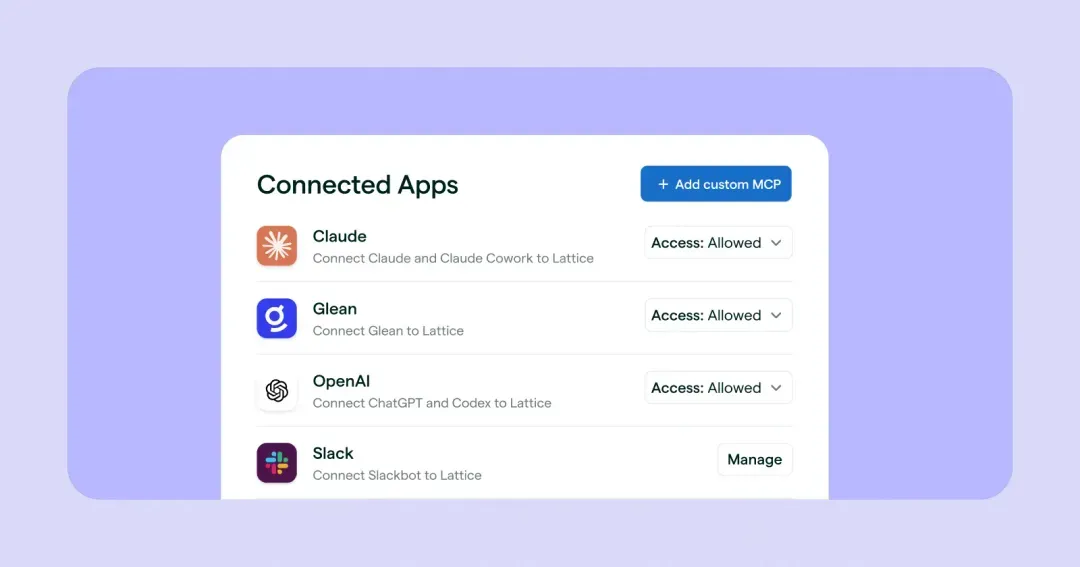
If you got this far and still feel lost, Lattice can help. Check out our help center full of MCP skills and instructions for connecting your LLM to Lattice. Or take a tour to see Lattice MCP in action.
.webp)