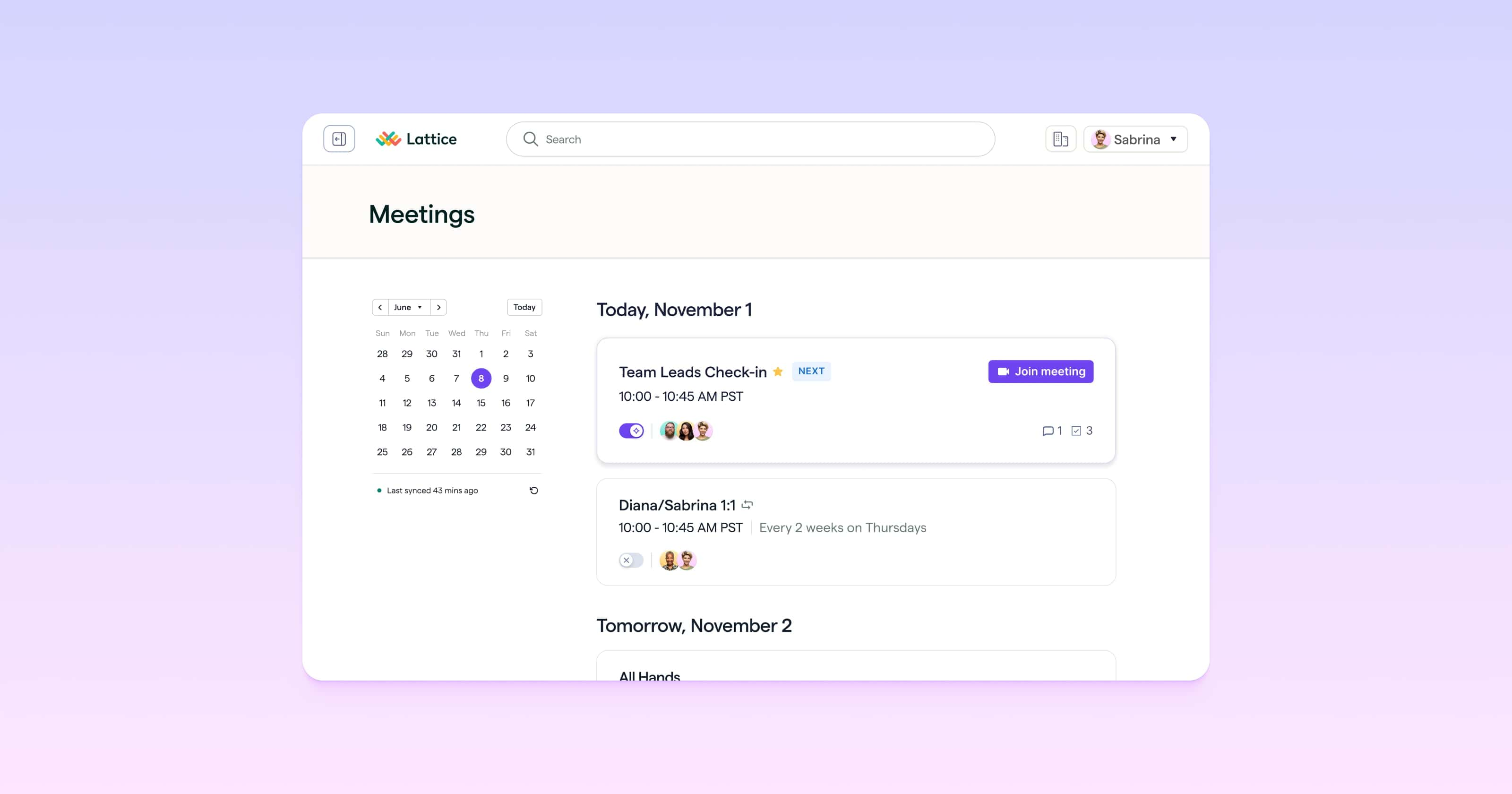
Lattice Meetings is finally here, and it's included at no additional cost for all Lattice customers. An evolution of Lattice 1:1s, Meetings brings 1:1s, group meetings, and one-off conversations into one place. Agendas, notes, action items, and AI-powered recaps stay connected to the rest of your people data in Lattice.
Connect your Google Calendar or Outlook Calendar once, and all your meetings appear in a single calendar view. Star the meetings you use most so they're easy to find.
You can also invite the Lattice AI Agent to join your calls on Zoom, Google Meet, or Microsoft Teams, including meetings with external attendees. It captures the follow-up so everyone can stay present:
- Meeting notes: Structured notes on what was discussed and decided.
- Recaps: A summary of the key points, sent to everyone shortly after the meeting ends.
- Action items: Commitments pulled from the conversation, so follow-through doesn't depend on memory.
- Coaching Insights: In 1:1s, insights that help managers reflect on how their conversations are going.
Meetings also connects to the rest of Lattice. Use Lattice MCP to bring meeting context into Claude or ChatGPT, with the same permissions you have in Lattice. And every conversation you capture adds context for Evidence-based Review Drafts, so reviews cover the full review period instead of just the last few weeks.
Manage Goals and Reviews from Your Favorite AI Tools
You can now do more with Lattice MCP than read your data. New capabilities let you create and update goals, and save manager summaries, right from Claude or ChatGPT.
- Create goals: Create new goals for yourself or your reports, including timeline, targets, owners, priority, and lifecycle state.
- Update goals: Modify goal text, change timelines and owners, and update other goal properties as plans change.
- Save manager summaries: Managers reading submitted reviews in Claude or ChatGPT can create and save a manager summary. Submitting the review packet and summary still happens in Lattice.

Run Calibrations and Cycles with More Control
A few updates this month make it easier to prepare for calibrations, build review cycles, and manage compensation approvals.
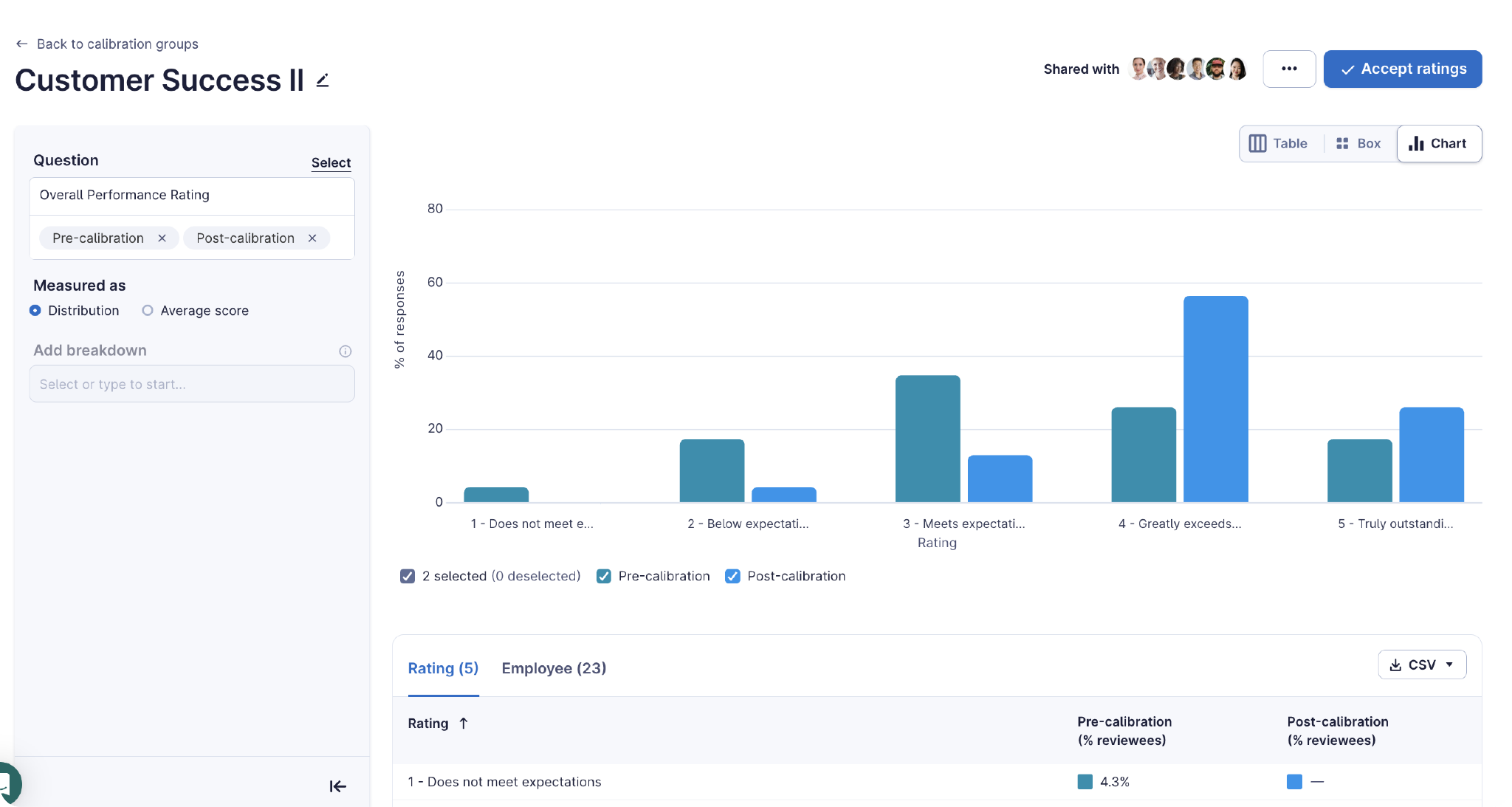
- Calibration Analytics in Calibration Groups: Calibration groups now include built-in analytics, so participants and facilitators can compare pre- and post-calibration distributions and average scores without leaving the pre-read or calibration workflow. Break results down by fields like manager or tenure, and switch between table, box, and chart views.
- Manager of Manager Filter in Review Cycle Setup: When building a reviewee list during setup, select "Include indirect reports" to add a manager's full reporting line, not just their direct reports. This is available for org chart-based performance reviews.
- Approval Chain Flexibility for Admins in Compensation: Edit any step of an approval chain in draft and active compensation cycles. Add, remove, or replace approvers, preview everyone affected before you save, and apply changes across connected chains with existing approval safeguards preserved.
Simplify AI Settings and Integrations
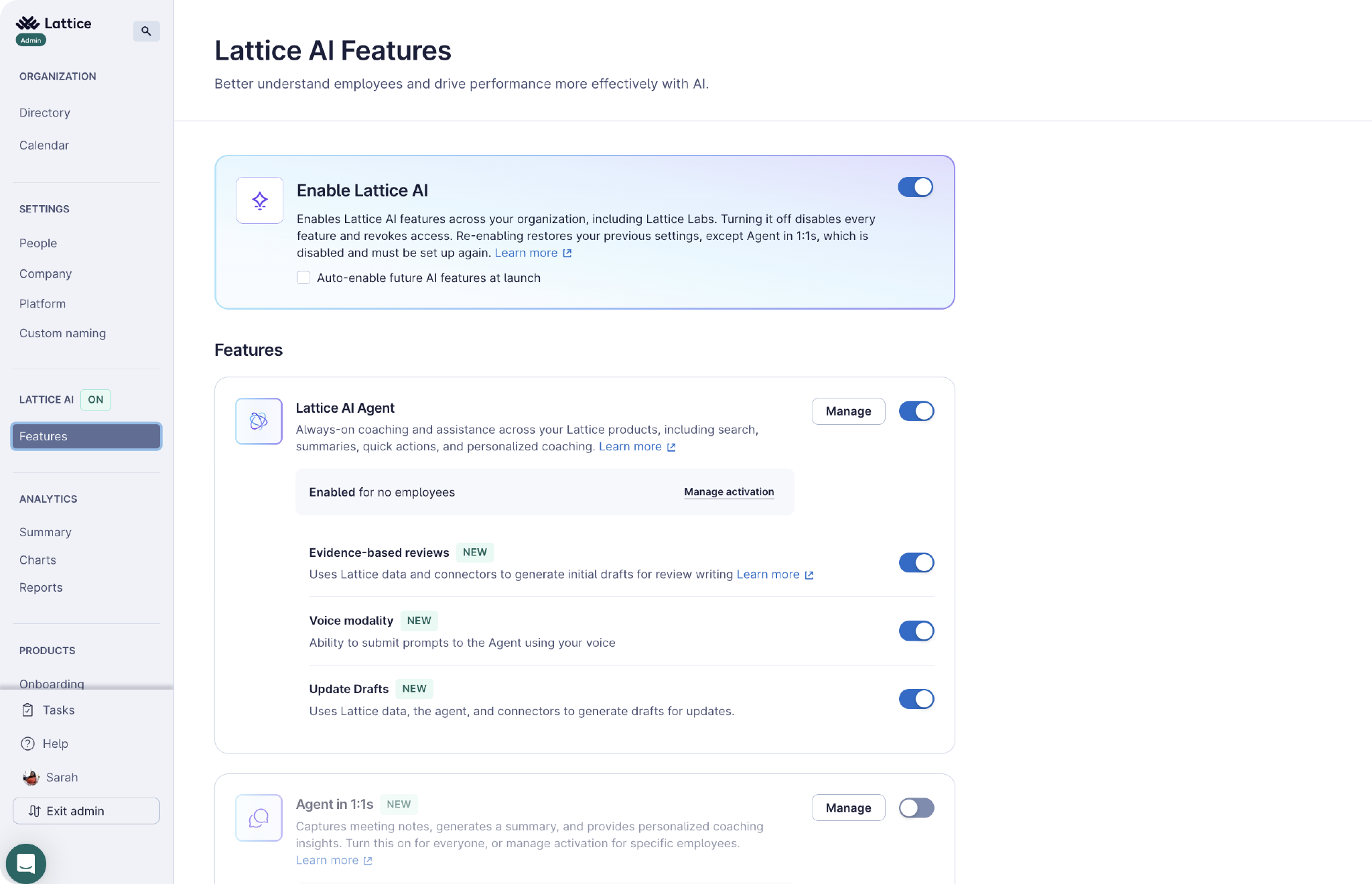
- Our redesigned AI settings experience for admins puts everything about Lattice AI on one page. A global AI switch sits at the top, and each feature shows its current status and any prerequisites. Settings for the AI Agent and Agent in 1:1s are available from the same page. Turning the global switch off disables AI across your organization, and turning it back on restores each feature to its previous state. Admins can also choose whether new AI features turn on automatically as they become available.
- We’ve also enhanced our Rippling integration with a new OAuth-based flow, real-time employee updates, and two-way data sync. Connect Rippling from Admin → Integrations or Rippling's Marketplace, enable nightly auto-sync, trigger manual syncs, and track imports in the Import Log. Admins can also push Lattice review data back to Rippling by choosing which review cycles and questions to sync.
Learn more about all of our October 2026 releases and our future roadmap by visiting Lattice Product Updates or contacting your Lattice account manager.
Not a Lattice customer? Request a demo to discover how Lattice's new and existing features can help uplevel your company's HR strategy.