
HR software demos are full of bells, whistles, and really great salespeople. One second, you’ve got a priority list cross-checked and underlined in red. The next, you’ve been bamboozled into getting 15 extra features you’ll never use.
Not having a clear idea of exactly what you want can cost you dearly. According to Capterra’s 2025 Tech Trends Survey, 62% of organizations that regretted their HR technology purchase describe the financial impact as “significant or monumental”.
The HR tech market has exploded — the options organizations had just five years ago are nothing compared to the scale of the market in 2026. Choosing the best HR system for your organization is becoming a game of surgical precision, rather than a process of simple elimination.
Here’s a step-by-step guide on how to evaluate and purchase HR software that meets your organization exactly where it’s at.
1. Set a Timeline That Matches Your Constraints
HR software purchases are rarely just an HR decision — and they rarely run solely on HR’s calendar.
From an internal perspective, competing projects, contract expiration dates, team readiness, and a system that’s no longer working for the size of your organization all place additional pressure on the speed of your search. Externally, budget cycles, stakeholder approval, and business goals set the parameters for how fast you can actually move.
On average, evaluation to implementation takes the average organization between three and six months — more if you’re a larger organization or have complex data or people needs.
A single point solution like a lightweight employee survey tool, for example, may only need a quick data upload here, and a Slack integration there.
Meanwhile, bringing in a connected platform that integrates performance management, employee engagement, and growth relies on accurate data across job roles and levels, compensation, performance history, goal achievement, and more.

This is why planning your calendar matters just as much as the software.
Because if you know you’re about to run headlong into a big hiring spike, the end of the financial year, or performance review season, your team is unlikely to have the bandwidth to shop around. Plus, any rollouts or implementations that do happen are unlikely to be successful if employees and managers are already stretched.
When creating your timeline, consider:
- What are the internal constraints that shape our timeline? What projects are already on our slate? Are we hitting the user threshold for our current solution? Who owns implementation in our team, and do they have capacity?
- What’s coming up in the business that could impact this timeline? Are we bringing a new product to market? Are we expanding to a new geography and need to hire new employees on the ground?
- How many people need to approve this purchase? How does the budget get approved? Who is in charge of decision-making?
- What are the governance/operations requirements? Does this need to go through procurement, IT, security, or legal for review — and what are their lead times?
Track your timeline in a project management dashboard so everyone stays aligned on where the process is at, and what their involvement is.
This wasn’t just a system switch, it was a shift in how the business operates and grows through its people.
Dominique Bauersfeld VP of People & Business Operations @ UNREAL Snacks
2. Define the Problem Before the Feature List
Before compiling your feature shopping list, put together an internal taskforce — the people you need at the table before making any decisions.
This should include members of the HR team, as well as any functional leaders who need to weigh in from IT, finance, operations, and legal. These are the people that can flag issues you hadn’t thought of and advise on technicalities — like tool integration, compliance issues, or data security.
Next, pinpoint the specific challenges or gaps you need to address.
"If you don't get really tight on what problem you're trying to solve, you'll end up with a complicated web of tech products that don't talk to each other and have duplicative features, or an all-in-one that doesn’t actually do what you need well enough,” said Kim Rohrer, founder and principal at Patchwork Portfolio. “Get really smart about what you love about your existing stack and processes, and what you want to change.”
Gather your taskforce and ask:
- What problems are we trying to solve?
- Where are the pain points in our current setup?
- Where are the friction points when HR hands off to other processes or functions?
- What do we need the new system to do?
- How will solving this problem impact the business?
- What processes, tools, or workflows do we need to integrate with?
- Who will use this tool, and what do they need to use it well?
- Are we planning to replace one HR tool, or streamline them under one new system?
Once you’ve identified challenges, you can move onto ranking specific features.
If you’re evaluating employee engagement software for example, a standalone survey platform might seem like enough — but most modern platforms now connect engagement insights into performance, development, and growth as standard. You might also want advanced capabilities, like analytics, benchmarking, or AI-enabled analysis.
After settling on a list, split it into must-haves and nice-to-haves, prioritizing each feature as low, medium, or high. As you rank each feature, consider its long-term scalability.
For example, multi-language support might feel like a nice-to-have when you have a team of 50 spread across the US. But if you know a European expansion is on the cards in the near-future, it could be worth investing in a platform you know you’ll grow into later.
“A good vendor knows their [ideal customer], and is willing to tell you when you aren’t a good fit,” said Rohrer. “If you know what your scaling plans are, be upfront. Tell them you're going from 100 to 2,500 employees in the next 3 years, and want to know what will break when [you] grow that fast.”
3. Evaluate Vendors
It’s time for the demo. This is your chance to find out if the software is a genuine upgrade, or just great marketing.
Start by compiling a shortlist of software vendors. Ask peers from organizations in your industry, company size, or growth stage for recommendations. Cross-reference your software selection with user experiences from review sites like G2 or Capterra, which provide unfiltered feedback on how teams feel about the product and vendor.
Then, compile a list of questions for the vendor based on your organization’s needs, the type of software, and requirements from your internal taskforce.
When searching for a comprehensive talent management platform, for example, you might want to dig into how the product connects performance reviews to employee goals, analyzes engagement data, and automates HR processes like onboarding.
“Start with your list of needs,” said Rohrer. “Ask for demos that show you how your specific need would be solved. Ask when they think we'll outgrow their solutions. What does it look like to move to the next tier of service? When would we need another tool? What kind of customer support do they offer? (And "great" is not an answer.) How will they support me in proving the ROI to my leadership team? If it's an employee-facing tool, how do they support adoption and utilization?”
Going into the call, make sure you invite any members of your cross-functional taskforce that can sense-check key issues like implementation or legal requirements for your employee data. A simple scorecard that rates each vendor against your must-haves and nice-to-haves will help keep everyone aligned on your priorities, while making sure your evaluation stays consistent.
As part of your post-demo debrief, ask: What were the platform’s strengths and weaknesses? Were there certain features you’d like to hear more about? Were there any aspects of the tool that raised concerns, or wouldn’t work in practice?
{{rich-highlight-1}}
4. Assess AI, Automation, and Integration Capabilities
In 2026, there are two key differentiators every software evaluation process needs to account for: AI and integration.
Neither is particularly easy to evaluate at face value from a demo. But having a process in place to assess functionality against the processes, workflows, and tech you actually have will mean you build a stack that actually scales with you.
Vet what the AI and automations actually do.
With so many tools on the market now boasting AI capability, you need to ask which tools have AI built into the core product, which are more lightweight applications, and what value they’ll actually bring to how your team works, day to day.
This is a great point to bring in your legal eagles if there are specific concerns around employee data use or privacy.
But beyond that, neither you, the broader HR department, nor your taskforce should have to be AI experts to understand what the tool does, how it works, or the potential benefits or risks it poses for your organization.
To get a clearer picture, ask:
- Can you explain what your AI and automation capabilities do in simple language?
- Is your AI embedded within workflows, or does it function as a standalone tool?
- How is your model trained?
- Do you use employee information or customer data to train or improve your model — either during the contract or after it ends?
- Can we turn off AI and automation features if they’re not required?
- When our contract ends, how long do you retain our data? Can we export or delete it?
- How do you monitor your AI for bias or inaccuracy?
- Are AI and automation functionality included in your pricing as standard, or does it come at an additional cost?
{{rich-highlight-2}}
Assess integrations and data connectivity.
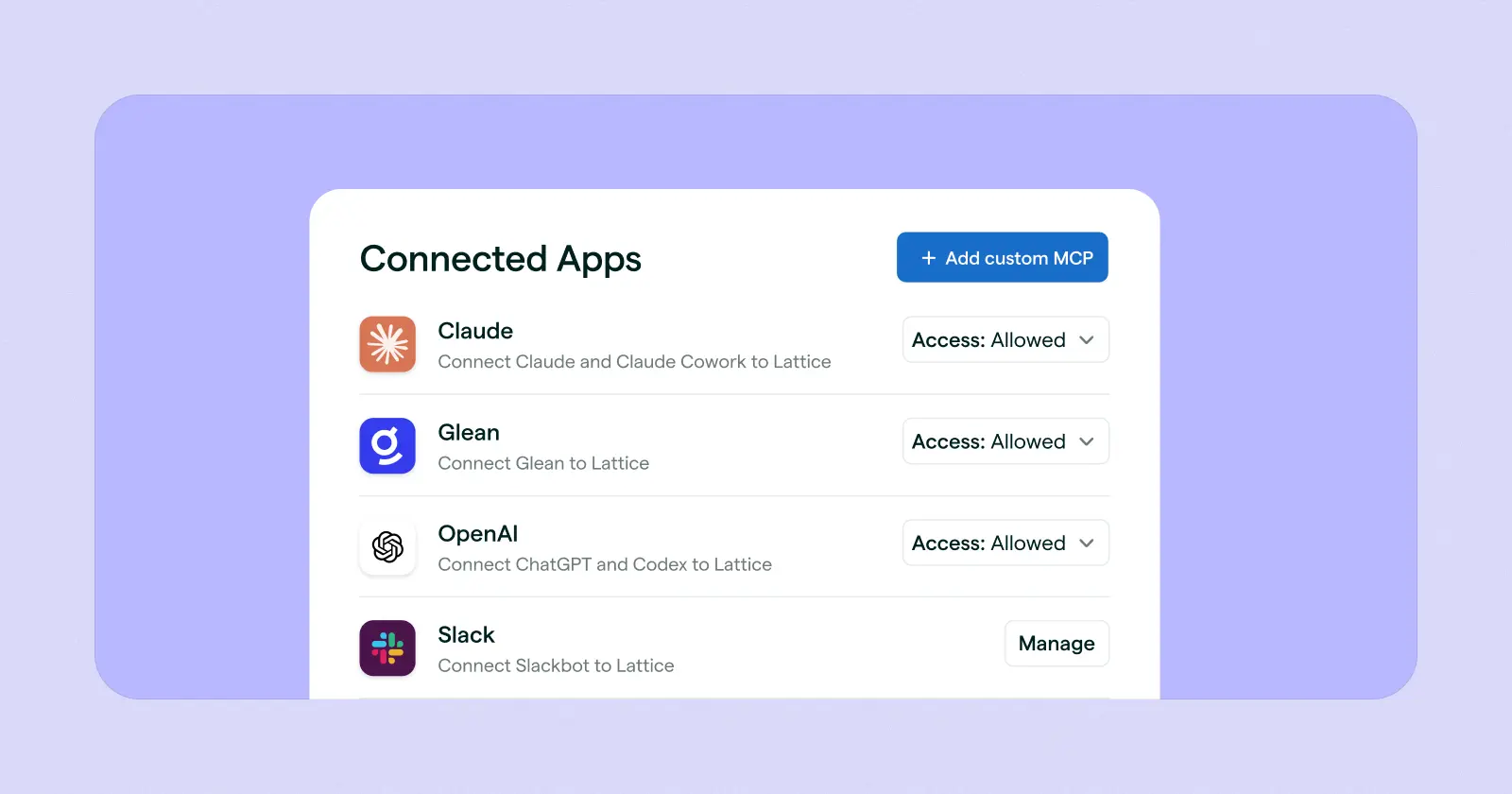
According to our 2026 State of People Strategy Report, 72% of high-performing HR teams now use four or more HR tools — making it critical to evaluate how well any new technology will plug into your existing tech stack.
Most software solutions offer integrations with other tools as standard, but not all of them are created equal, so it’s worth digging into how deep those connections actually go.
For example, some HR tools might offer single sign-on (SSO) where you can log into multiple tools from one place, but the data doesn’t move. Some systems require a manual “push” to connect data between systems. Others sync in real-time — so core HR data flows automatically from a system of record like a human resource management system (HRMS) to your performance, employee experience, and engagement modules.
Alongside AI functionality, HR professionals will need to evaluate how well any new technology will plug into their existing tech stack.
This is where your IT and operations stakeholders will be critical in sense-checking the responses and making sure any tech you do invest in will actually work.
Try the following questions to assess dataflow and integration quality:
- What data is shared between tools?
- How does data flow between tools — is it one-way or two-way?
- What does the process look like to integrate this tool within our existing tech stack? How do you prepare and migrate the data?
- What does the data sync look like — is it manual, scheduled, or automatic?
- How does your product integrate with our communication suite, like Slack or Microsoft Teams?
- Does your platform offer self-service admin tools, or do we need vendor support for routine changes?
5. Talk to References
You’ve heard from someone whose job it is to sell. Now it’s time to talk to the product’s actual users.
Ask your sales rep to help schedule a reference call with a client in a similar-sized company, or in the same sector as you. Ideally, you’ll get someone who has used the tool for at least a year and can share their experience.
Start the call by asking the reference for their role, company size, and industry. Depending on the software, details like office locations or the percentage of remote workers might be relevant. All of this gives you more of an understanding of how applicable their experiences are to your organization.
Focus your questions on uncovering tangible outcomes they achieved as a result of using the tool. Beyond asking why they picked the tool or their overall experience using it, dig into how it performs in the areas that matter most to your organization.
For example, if you’re evaluating talent management software, questions could include:
- How was your implementation and rollout? Any challenges with adoption?
- How are employees actually using the goals and development features?
- How do the performance, engagement, and growth modules actually work together in practice?
- Is the HR team spending less time chasing people through core processes, like performance reviews?
- What has manager feedback been like on the one-on-one functionality — are they having better quality conversations with their direct reports?
As you speak to references, remember that few software providers are going to connect you with a customer who has had anything but a five-star experience — so take any intel you get with a pinch of salt.
For unfiltered reviews, check professional networks or online communities. Hot tip: Our Resources for Humans Slack community is a great place to ask questions and browse through what other peers recommend.
6. Make the Case to Stakeholders
You’ve evaluated your options and spoken to references. Once you’ve identified your frontrunner, you’ll need to make the case to leadership. And this, Rohrer said, is where building a data-driven narrative on the business impact is critical to getting senior leaders on board and loosening those purse strings.
“Ideally, the vendor is going to have lots of shiny data for your leadership team that talks about the ROI, because that's part of their sell,” she said. “I think we have a tendency in HR to talk about the human impact, time savings for your team, or employees having a more pleasant experience — but that's not often what moves the needle in terms of getting leadership buy-in.
{{rich-highlight-3}}
“Always tie it back to the business if you can — that means things like mitigating risk (having compliance managed within a platform), cost savings (consolidating multiple products into one), time savings for the people that are visible to them (managers saving time), and strategic focus. [Frame it as]: This will be a problem for us in 12 months — we can solve it painfully then, or easily now. Here are the risks and opportunities. Just focus on the work that your leadership team will care the most about.”
Put together a slide deck that outlines your pitch:
- Frame the business need or problem you’re trying to solve.
- Outline the risk of not solving the problem — or the opportunities a new tool will open up.
- Create a short, side-by-side comparison of the providers you considered and what you learned from calls.
- Quantify the expected ROI — not just the tool, but the cost of doing nothing.
If you need inspiration, check in with your provider of choice — they might be able to provide you with sample slides or the data points you need to seal the deal.
Working backwards from the downstream impact can help this message land. For example, a 2026 article from Gallup estimates that turnover of frontline employees can cost organizations 40% of their salary. On its own, that figure doesn’t quantify scale.
But if you calculate that the average salary at your organization is $100,000, and turnover is sitting at 20% due to employee disengagement, that’s 100 employees leaving a 500-person company annually. Even at the conservative end, that could cost $4 million each year. That’s a sizeable, preventable cost that could impact retention. And when compared with the cost per seat of your chosen HR tool, it frames your investment as a fraction of what inaction is already costing.
{{rich-highlight-4}}
FAQs
How long does it take to evaluate and implement HR software?
Generally speaking, evaluating and implementing new software can take anywhere from a few weeks to a few months — but this can change based on the type of system you’re looking for, how many stakeholders are involved, and how clear your requirements are.
Timelines can also be affected by how the tool integrates with your existing tech stack, processes, and data.
How do you calculate the ROI of HR software?
The ROI of HR software is often measured by cost savings and efficiency gains — including metrics like reduced admin time, faster time-to-hire, or streamlined processes. But because every company is unique, the factors that contribute to ROI will be specific to your organization’s size, goals, and people strategies.
Want a scratchpad estimate on the value your HR tech is delivering? Try our interactive calculator here.
How should AI factor into your software evaluation criteria?
AI may be ubiquitous across HR software — but that doesn’t necessarily mean it'll be innately useful for everything. The most important thing is to assess whether it will meaningfully improve the processes or business challenges you’re trying to solve, and how reliable its outputs are. You’re looking for something that genuinely improves and embeds in the way you work, not an add-on.
What are the most common mistakes companies make when choosing HR software?
One of the most common mistakes is framing your purchase around the features you think you need, rather than the business problems you’re trying to solve. Some teams also treat HR software as an HR-only tool — which causes broader integration and data fragmentation challenges when other stakeholders, like finance and IT, use different software for mutual processes like payroll or onboarding.
Companies also often choose systems that solve their organization’s current problems, but don’t flex as the organization evolves.
How should HR teams involve stakeholders outside of HR in the evaluation process?
Many HR processes involve a lot of co-dependencies across the organization — including finance, IT, and operations. Involving these stakeholders early in the evaluation process and demo calls will help you understand their current challenges, make informed decisions, and keep everyone aligned on what you’re looking for from the get-go.
How often should you reevaluate your HR tech stack?
How often you should re-evaluate your HR tech stack varies depending on factors like the size of your organization, how quickly you’re growing, shifting business priorities, and evolving processes. In general, you should aim to re-evaluate your HR tech stack every year at a minimum.
In the Demo: Questions That Cut Through the Sales Pitch
Once you’re on the call, keep your search on track by asking the right questions:
- What size companies do you typically work with? What is your upper limit for seats?
- Does your product integrate with our existing HR tech stack?
- What training or enablement materials do you offer?
- What do your implementation and support models look like?
- What’s your pricing structure? Are there any hidden usage-based fees?
- What does pricing look like if we want to add more modules?
- What is your average implementation timeline — and what do you need from us at each stage for it to be successful?
- If we cancel our contract, how do we migrate our data?
- Can you walk us through your product roadmap for the next year? What updates or changes are on the horizon?
Evaluating AI Functionality: Red Flags
🚩 They’re unable to explain how their AI works and the outcomes it produces.
🚩 They have a convincing pilot, but can’t point to customers actually using the tool.
🚩 They can’t explain their process for what happens when the AI is wrong, their review steps, or audit trails.
🚩 You feel they’re not being transparent when answering your questions.
Calculate the true value of better HR tech.
Want to see what Lattice’s software can do for your organization? Use our interactive ROI estimator to find out.
Future-Proof Your HR Tech Stack With Lattice
Buying HR software is all in the preparation, not the pitch. Keeping the process outcome- and challenge-focused will keep your purchase grounded in what the business needs — not which product is the shiniest.
Ultimately, remember that going into any vendor conversations, you’re the one in the driving seat.
“You are the buyer,” said Rohrer. “You are the user. You have the power. Act like it.”
If you’re looking for a platform that connects across the whole employee lifecycle, Lattice is a great place to start.
Lattice is a connected talent suite that helps HR teams keep data connected and workflows in sync. Bringing together performance, engagement, growth, and more in one integrated platform, Lattice Habits equips managers with the tools they need to lead teams with effective feedback, 1:1s, and goal-setting. Meanwhile Lattice AI Agent takes the heavy lifting out of review prep, engagement insights, and employee coaching.
Want to find out how Lattice can help you optimize your people strategy? Request a demo with our team.