

You’ve run an engagement survey with your staff, and you’ve collected the data. Now what? How do you share results in a way that measurably improves their engagement?
Engagement surveys give employees a voice to share their experience and give honest feedback. But what they say is just one side of the conversation. They need to know you listened, and that something positive will come from their participation.
For many HR teams and people leaders, this is where opportunities can be missed. How you present and frame survey results can make all the difference to employee sentiment, engagement, and by extension, performance.
This guide gives you a practical framework for turning raw employee engagement survey results into a clear and compelling slide deck that gives your survey participants the responses and actions they deserve.
Why the Presentation Matters as Much as the Survey Itself
When you invite your employees to take a survey, there’s an implicit promise: “We asked, so we’ll respond. We want to know about your experience because we want to make it better.”
How you follow through — how quickly and clearly you communicate the results — determines whether your employees trust that you meant it. A poorly-handled survey follow-up can actively damage the engagement that you set out to improve.
If you don’t present survey results at all, employees will likely assume the survey was for the organization’s benefit, not theirs. If you leave it too long, the connection between survey and results can get broken, sending the message that their feedback is not valued or that acting on it isn’t a priority. Come the next survey, you’ll see the consequences in lower participation and less candid responses.
When you communicate your results clearly and without delay, however, employees can trust that their input was respected and their voice elicited a response. But it's not enough that you present your results: It also matters how.
An emailed link to the raw survey data might technically fulfill your promise, but it leaves your audience with the burden of figuring out what it means. A thoughtful and well-designed slide-deck presentation, on the other hand:
- Shows that you’re genuinely listening to employee feedback.
- Presents the most important findings clearly, so nothing gets buried or missed.
- Puts the findings in meaningful context with trends and comparisons.
- Tells a cohesive story of where engagement stands and what you intend to do about it.
As Natalie Breece, chief people and diversity officer at ThredUp, explained in Lattice’s 2026 State of People Strategy Report, “When people feel like they belong and their voice matters, engagement rises, retention improves, and collaboration becomes more impactful. When teams feel seen, valued, and empowered to contribute authentically, performance follows.”
Who Should See What: Knowing Your Audience
While a single comprehensive presentation might seem like the most transparent and efficient option, it’s not going to serve all your stakeholders. You’re going to need multiple versions of your presentation.
Executives don’t need verbatim employee comments, managers don’t need market impact details, and employees don’t want to sit through a full methodological review.
As Erica Coffey, director of DEIB at Khan Academy, said, “HR, at its core, is about understanding employees.” Employ that empathy before you create a single slide to ask yourselves: Who is this version for and what do they need to know?
Executive Leadership
Leadership needs the helicopter view: high-level trends, comparisons to industry benchmarks, and how findings tie in with business outcomes like productivity or retention risks.
Frame the presentation with what employee engagement means for the business as a whole. This informs strategic decision-making about priorities and where to invest resources.
“HR teams must do a better job of ‘show and tell’,” said Regina Ross, executive counselor at McLean & Company. “How does low staff engagement translate to the cost of excessive turnover and missed goals?”
Managers
Managers need more granular results — in particular, so they can see how their teams’ engagement scores compare to the rest of the organization.
Here, the results should be presented less as a survey report and more as a tool for targeted coaching initiatives and action planning.
Employees
All employees deserve a clear, plain-language summary of what the survey found, and what it means for the next steps.
Tell employees what will change based on the results, and be honest about what won't change, and why. This is what will encourage their trust in the process and, crucially, keep them engaged with it.
Having two or three variations of the same core presentation is worth the work. The data is the same. You’re just changing the frame, giving each audience the results they need to digest and act on.
What to Include in Your Engagement Survey Presentation
With that in mind, here is the recipe for assembling an impactful slide deck of engagement survey results. Which ingredients you choose and how you present them will depend on your audience.
Survey Participation Rate and Methodology Overview
Cover how the questionnaire was designed and administered, how anonymity was protected, and how representative it is of the organization. By starting with this information, you establish the credibility and reliability of the slides that follow. If your survey size allows, give a breakdown by team, business function or job level.
If the response rate was low, say so. This is useful engagement data in itself. Besides, if you try to gloss over or make excuses, employees will notice.
Overall Engagement Score and Trend Data
Lead with the headline engagement number and make it stand out. For example, if you’ve used an eNPS question, make it a standalone data point in your executive slide deck. Then put it in context: How does it compare to previous survey cycles or industry benchmarks? Is engagement improving or declining? Is it holding steady?
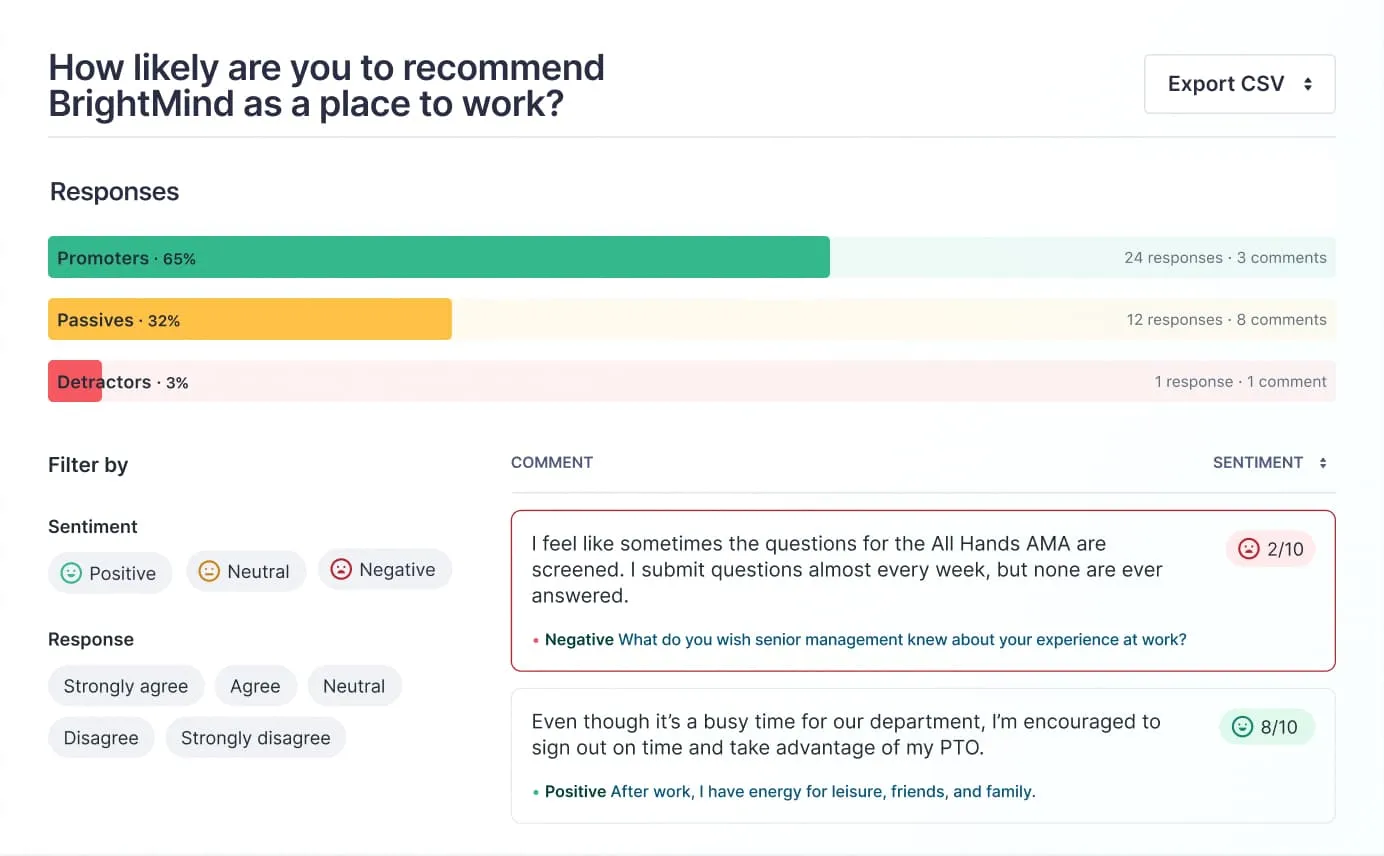
If there's a wide divergence of scores that contribute to the overall engagement score, flag it here rather than letting the average obscure it. If the trend is downward, don’t frame it as a crisis, but rather as a starting point for action.
Top Strengths: What Employees Say Is Going Well
Lead with the good news. Areas of employee satisfaction help managers and executives see what’s working well.
Importantly, don’t simply present the numbers: Explain what they mean. A score of 4.2 out of 5 is only meaningful if your audience knows what it says about the employee experience.
Key Areas of Concern: What Needs Attention
Engagement surveys will surface flashpoints where employees are less engaged or experiencing burnout. Present these candidly but constructively. Rather than listing every low-scoring question individually, which can come across as a litany of failure, group responses into themes. This frames concerns within the wider engagement picture and organizational culture and makes them easier to act on.
Match each area of concern to at least one step forward, even if it’s tentative. The aim is to present problems as opportunities, not verdicts.
Demographic or Team-level Breakdowns
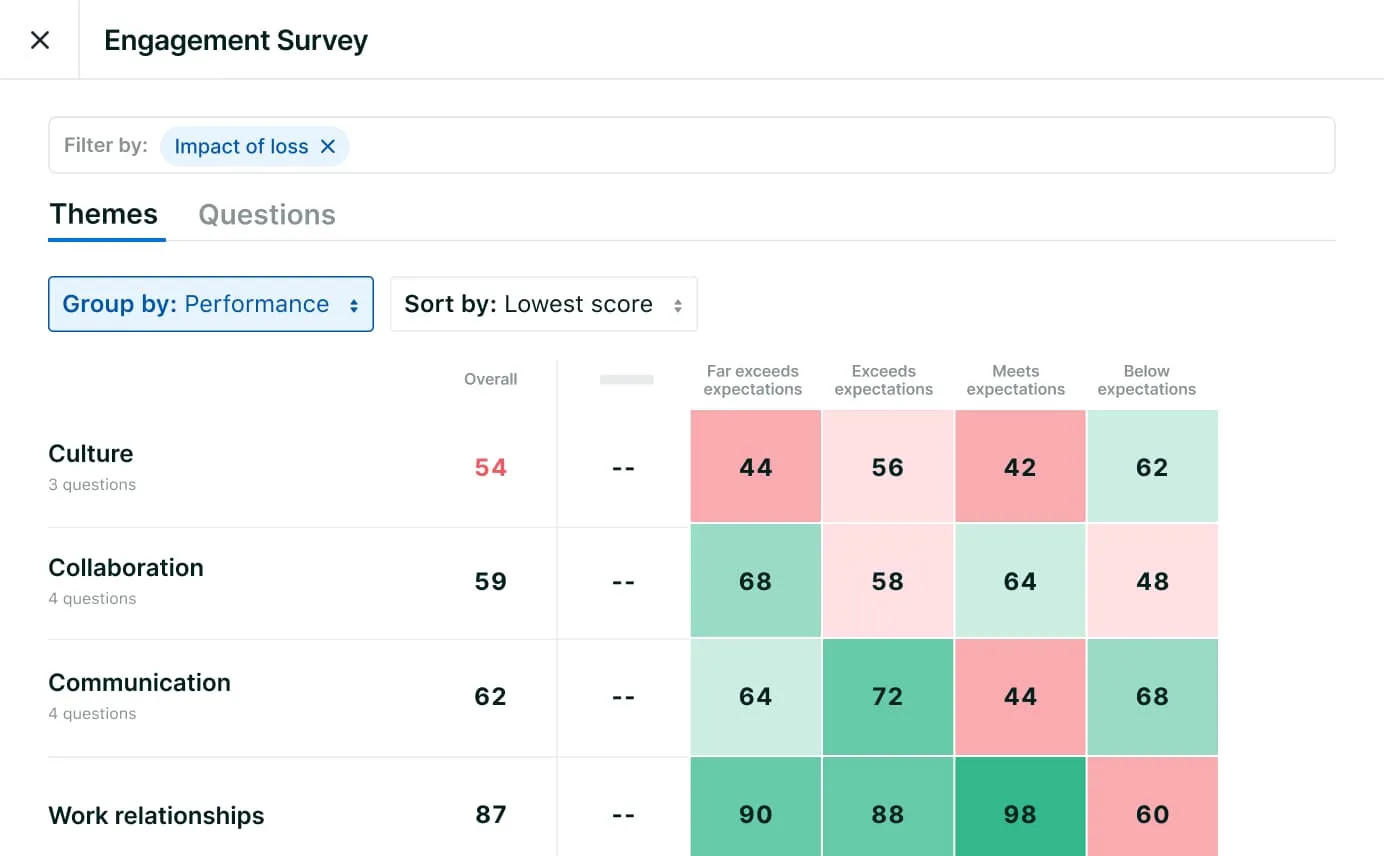
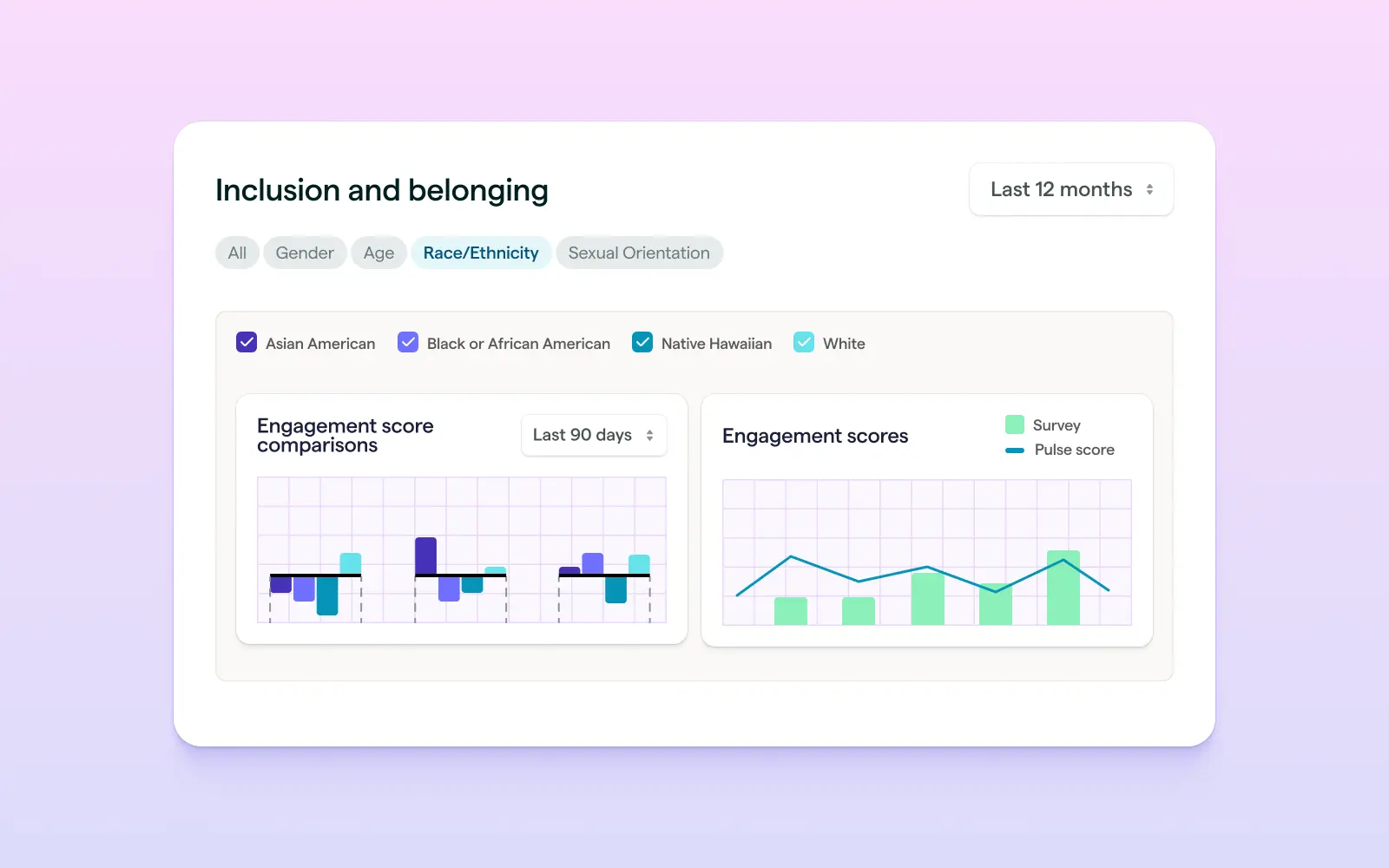
If your survey sample size is big enough, look beyond the organizational averages. Using heatmaps and demographic filtering, which you can find with Lattice Analytics, you can slice results by department, tenure, job level, or custom field, and surface pockets of disengagement that a headline figure might hide.
A company-level engagement score of 72% looks healthy, but if your IT team is sitting at 48%, it’s not representing them. This is critical data for leaders to see.
A word of warning here: Never share breakdowns for a group small enough that individuals might be identified. Sharing a “25% favorable” result from a team of four will not be truly anonymous, even if you don’t name names.
Instead, set a fixed threshold of respondents (five or ten) before group results are displayed separately. When a group falls below it, roll their results into a broader category and explain why: "Some team-level results are not displayed in order to protect respondent anonymity. Groups with fewer than [X] responses have been combined with broader department data." This transparency avoids omissions from raising any suspicion.
Themes
This is where data becomes human. Respondents' voices tell your audience why your engagement looks the way it does, which the quantitative scores alone can’t capture. Cluster open-ended responses into themes rather than selecting individual quotes, and choose comments that faithfully represent the range of employee sentiment — not just the most dramatic responses. Be rigorous about maintaining anonymity. Employees who trust that they can speak freely will give you more honest and useful responses.
Proposed Next Steps and Timelines for Action
This is the most important part of your survey results presentation. For executives, it shows you understand the engagement environment and how to manage it. For managers, it's a blueprint and checklist for action. And for employees, it shows you’ve taken their feedback on board and plan to act on it.
Be clear and unambiguous. Include two or three specific commitments, with a named owner for each, and set realistic timelines for follow-up. If you don’t have a definitive action plan yet, say so honestly: Saying “We're still determining the right approach" is better than saying nothing.
Finally, set a date for the next check-in, showing that the survey isn't the last word, but the beginning of the conversation.
{{rich-highlight-2}}
How to Frame Difficult Findings
Not everything you have to present in your engagement survey presentation will be positive. No one likes to be the bearer of bad news, but it’s important not to shy away from it or to water it down. It’s equally important to present it well.
Be transparent.
Be open about poor results, and provide context, not spin. Employees and leaders alike can tell when things aren’t going well, so whitewashing negative scores will only damage trust, and erode engagement all the more. When you lead with transparency, it validates what your audience feels and shows that the organization can handle uncomfortable facts.
Separate wider patterns from individual performance.
Employee survey results should not feel like a performance review in public. Avoid blame or catastrophizing. If metrics like manager effectiveness are scoring low, it’s likely to be an issue that goes beyond any individual response. Present low scores objectively, and ask for input from your audience to give the opportunity to frame their own scores.
Use benchmarks to provide perspective.
Taken in isolation, engagement scores may not give your audience a true impression of the problem. A score of 62% might sound alarming on its own, but if the industry average is 58%, it tells a different story. Benchmarks help you present an objective and realistic review of your engagement situation.
Propose specific actions to every problem.
Every area of concern should be paired with an action to address it, even if it’s only a first step. It may be enough to say, "We are looking at options A, B, and C," if you are not in a position to say "We commit to doing X, Y, or Z." What matters is that no engagement problems are left as problems. In this way, you show your responsiveness without overpromising.
{{rich-highlight-3}}
4 Design and Storytelling Best Practices for Your Slide Deck
Make sure you don’t overwhelm your audience with a barrage of data and figures. Tell them what it means in a way that is compelling and clear. Here are four quick pointers:
1. Build a narrative arc, not a data dump.
Your survey results presentation needs to tell a story. Slide by slide, it should use what you heard in your engagement survey to carry your audience from where you are now to where you want to go.
2. Less is more: One key insight per slide.
Your message will lose impact if you try to say too much at once. It can be better to break your results across two slides than to try to cover too much with one. And don’t be afraid of white space. It can help results really stand out.
3. Make your results visual.
Highlight key insights with data visualization tools like infographics to make them easy to understand. Bar charts, pie charts, and other graphs are good for displaying comparisons. Trend lines can show changes over time, and heatmaps with consistent color-coding can make understanding team-level breakdowns intuitive. Lattice Analytics can generate these automatically.
4. Treat headings as storytellers, not labels.
When you add headings to your slides, use them to add to the narrative, not simply as labels for your tables and charts. A good heading doesn’t just tell your audience what they’re looking at, it gives them actionable insights. Replacing “Q3 Engagement Scores by Department” with "Engagement Is Highest in Marketing and Lowest in IT — a 14-Point Gap To Address" gives your audience a deeper understanding of the issue.
5. Incorporate your company brand.
Create your slide deck with your organization’s brand standards — your recognizable fonts, colors and logo. A polished, on-brand presentation signals that you are taking this work seriously, and presents it as a credible part of the company knowledge base.
To see how Lattice Engagement and Lattice Analytics can automate the reporting process end to end, take a tour.
{{rich-highlight-1}}
FAQs: Analyzing Engagement Survey Results
Q: How do I know which survey results to prioritize when everything feels important?
Run each finding through two filters: impact and actionability.
- For impact: How significantly will it affect retention, performance, or day-to-day culture?
- On actionability: Can leadership do something about it in the next six months?
The findings that score high on both are your priorities. Map this out with a simple two-by-two matrix: impact on one axis, actionability on the other. You won't be able to fix everything at once, but employees will respect that if you're transparent about how you chose where to focus.
Q: What's a statistically meaningful response rate for engagement survey results to be reliable?
A response rate of 70% or above is generally considered strong. This gives you a solid grounding to draw conclusions. If you only received 50%, be careful. It doesn’t mean you can’t use the data, but you’ll need to give a transparent caveat in your presentation. If participation is low, don’t over-emphasize findings. That said, a low response rate is a useful engagement finding in itself, and presenting it can be an action for improving participation in future surveys.
Q: How should I handle results that vary significantly between teams or departments?
With openness. Don’t make excuses to explain the gap away. Variation between teams can itself be a meaningful finding. Look for contributing factors: differences in manager tenure, team size, role type, or recent organizational changes. It can also be an opportunity for peer learning. Following up with high-scoring teams can present an opportunity to turn a difficult conversation with low-scoring teams into a productive, growth-focused one.
Q: How do I analyze open-ended survey responses at scale without losing nuance?
Open-ended responses are where the real employee engagement gold is found. But it can be challenging to extract from hundreds or thousands of free-text comments.
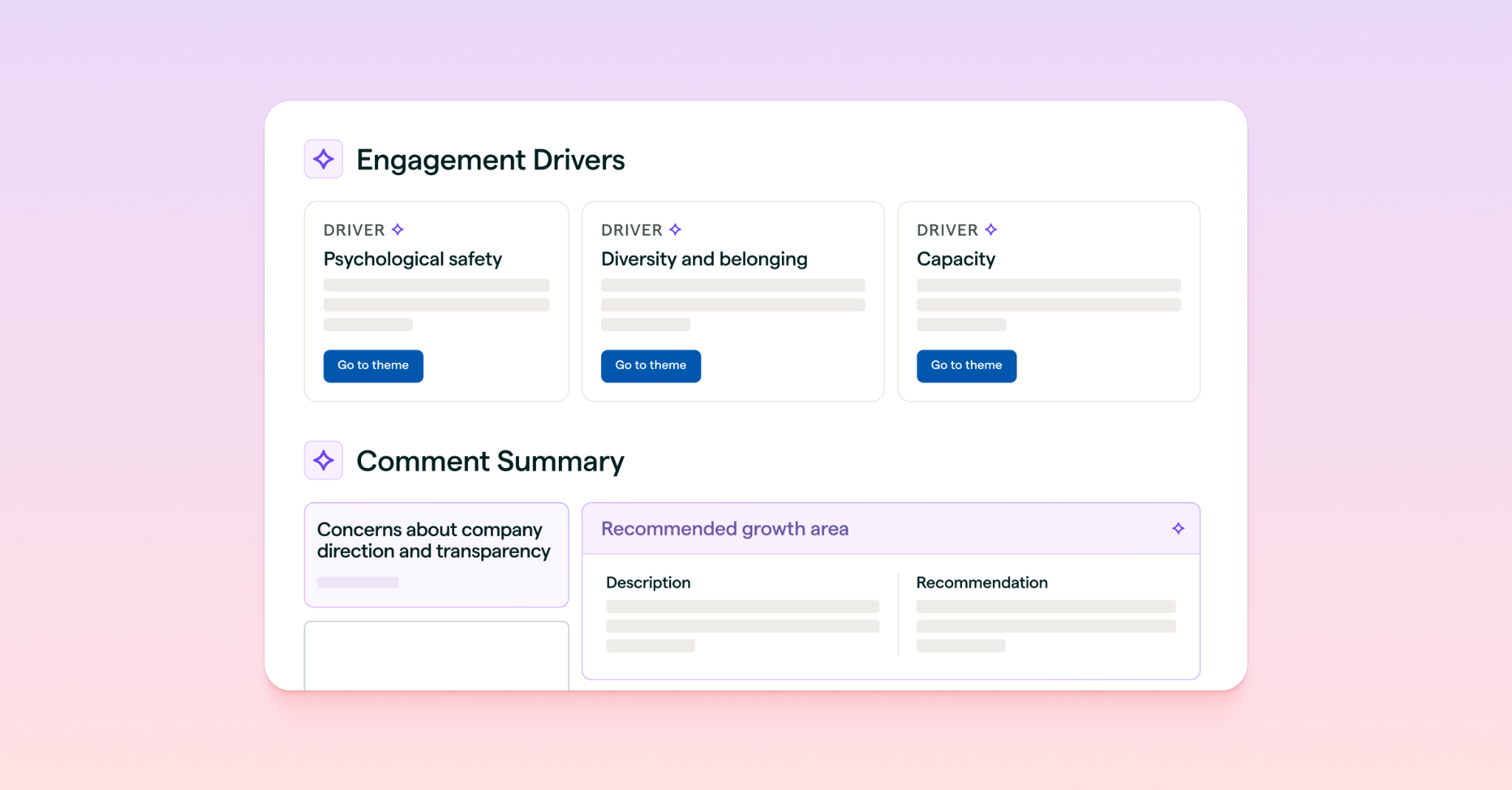
Tools like Lattice AI can automatically sift through responses and quickly surface themes, trends, and sentiment to inform a structured picture of what employees are actually saying and feeling.
Once findings are clustering and categorizing, you should still cast a human eye over them before they go into a presentation. This is to make sure the full range of sentiment is represented faithfully, and not just the most common or critical view.
Q: How long after closing a survey should we wait before presenting the results?
Aim to share your results within two to four weeks. The longer you wait, the more the connection between the survey and the response will erode in employees' minds. It can also look like you’re avoiding releasing the results. If your analysis is taking longer than expected, send a brief interim message: "We're working through the results and will share findings by [date]." That keeps your audiences informed and lets them know that the process is moving.
How Lattice Makes This Faster
Creating a slide deck for your employee survey results from scratch demands a lot of time and effort. You can spend longer exporting and analyzing data, building charts, and formatting slides than on what really matters: telling your engagement story. Lattice Engagement removes those obstacles so you can get from closing a survey to sharing your results without delay. Here’s how:
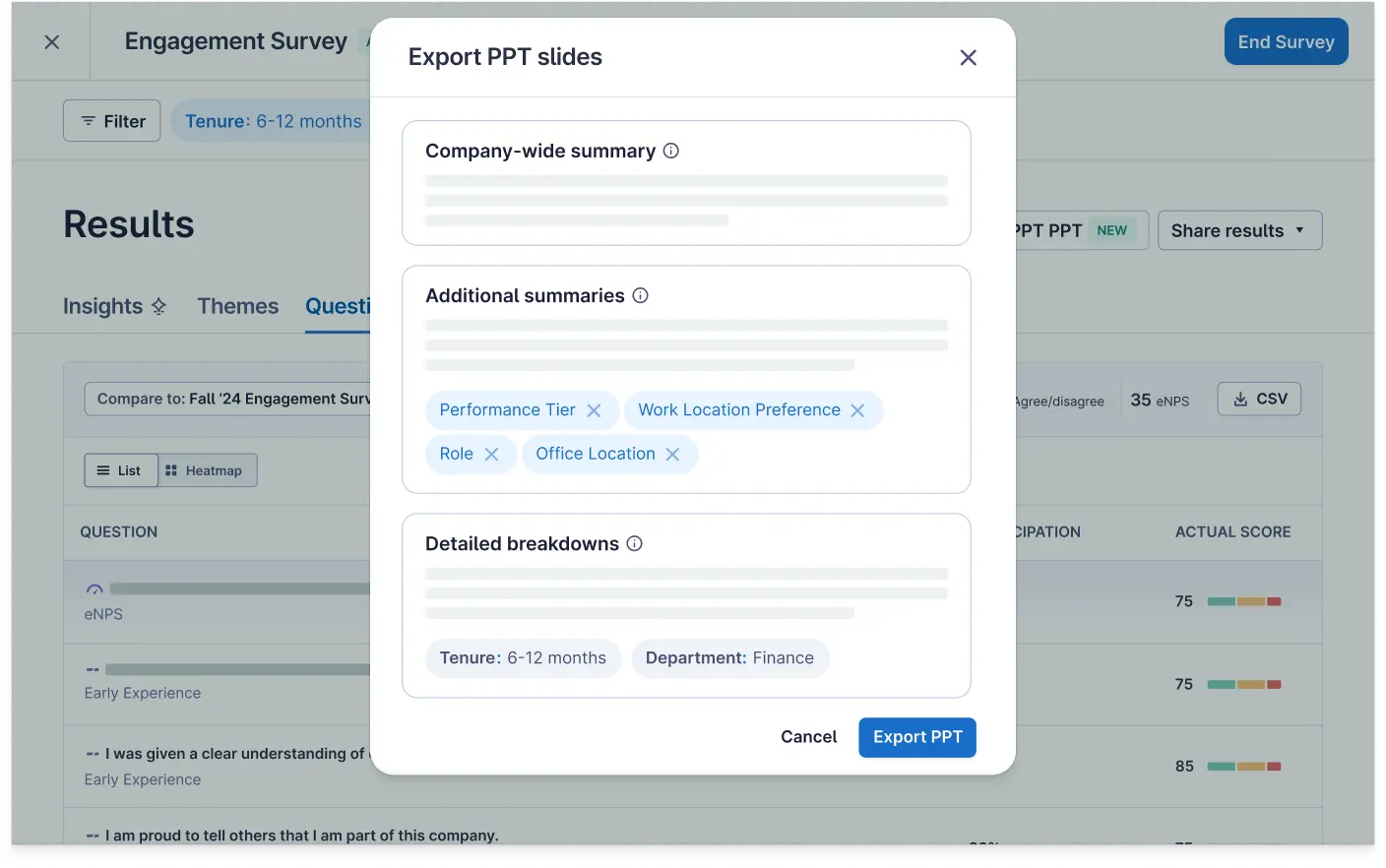
- Lattice’s click-to-create feature automatically turns your raw employee survey results into a polished, shareable presentation in minutes.
- Lattice AI instantly populates participation rates, engagement scores, key strengths, areas of concern, and trend data, so no manual data exports or chart-building needed. Built-in benchmarks and trend data are incorporated alongside your results, saving you the effort of sourcing the contextual details.
- Lattice offers a slide deck template, with over 80 ready-to-edit slides covering eNPS, department-level engagement, and action planning. If you already have your own presentation template, Lattice lets you export your results straight to PowerPoint and tailor your presentation from there.
And with team-level dashboards, managers can generate their own engagement results summaries, so that HR can focus on the strategic work of interpreting the survey findings, and building your company’s engagement story.
The goal of engagement surveys is not to measure engagement but to deliver on it and improve it. Request a demo to see how Lattice can help.
And Just Like That…Your Presy Is Ready
To get a headstart on your next survey readout, download Lattice's free engagement survey slide deck template.
Click, click, click, and post.
Presentation-ready slide decks in Lattice, at your fingertips. Ever imagine a world like that? Now you can, with Lattice Engagement.