
May 2026 Product Updates: A Reimagined Reviews Experience, Compensation Enhancements, and More

.webp)
May brought some of our biggest UI/UX overhauls yet. We redesigned the manager and IC reviews experience from the ground up, shipped a wave of calibration improvements that make large-scale sessions faster to run, and gave compensation workflows additional context.
Plus, deeper engagement filtering, expanded data flexibility, and more. Let's dive in!
A Better Reviews Experience for Managers and ICs
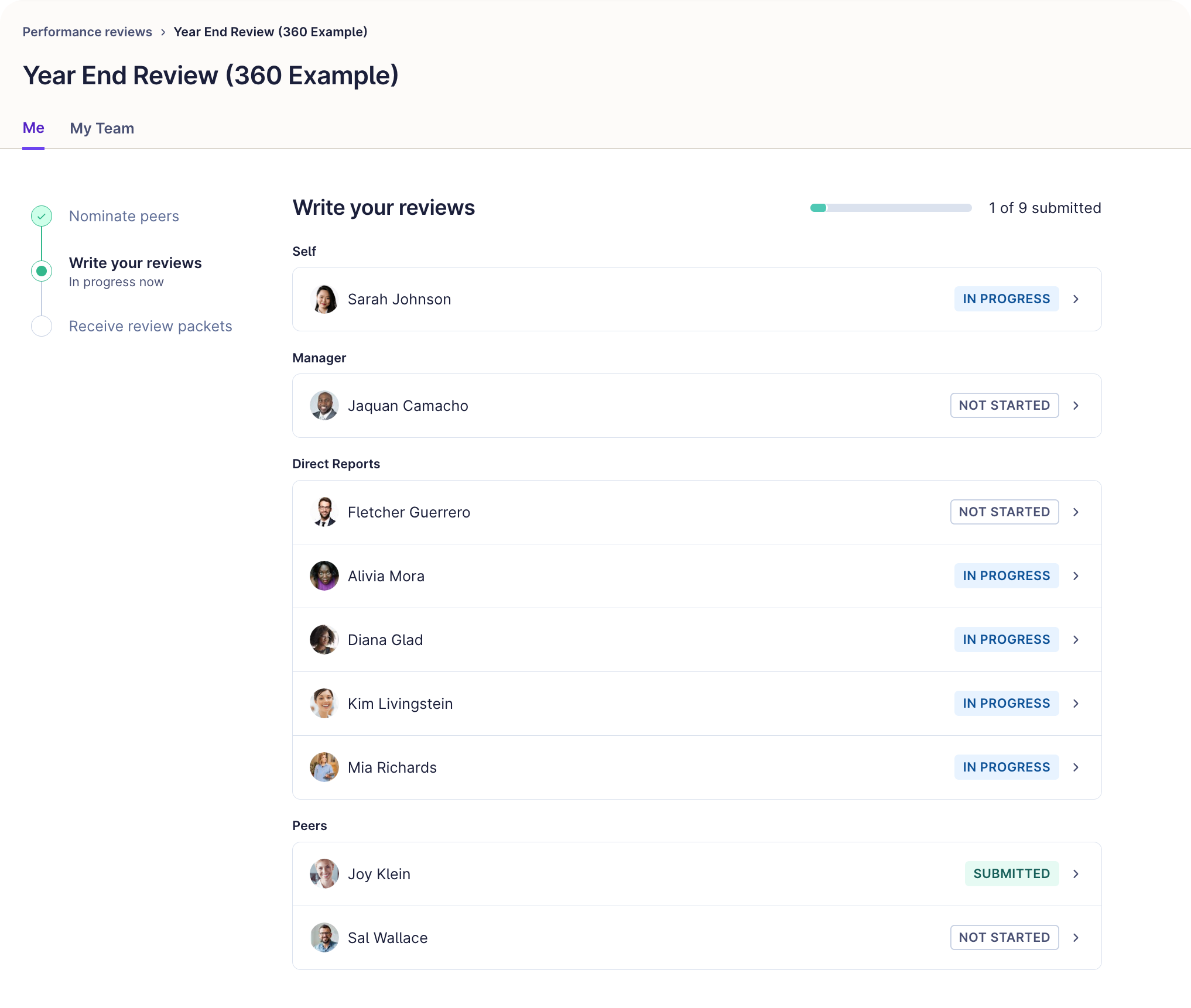
We rebuilt the manager and IC reviews UI from the ground up. The experience is cleaner, faster, and much easier to navigate.
The biggest shift: manager workflows are now split into two tabs. The "Me" tab covers personal tasks like self-reviews, peer nominations, and personal review packets, all organized around a clear phase component showing cycle status and dates. The "My Team" tab gives managers a dedicated space to track their direct reports, approve peer nominations in bulk, and get quick-view hover details on submitted reviews without opening each one individually. Promotions have also moved, out of the left nav and into the team view.
We also extended the Reviews tab on employee profiles to any admin with "View and export performance review results" permissions, not just super admins. Custom admins like HRBPs can now pull up any employee's full review history in one click, rather than hunting through each cycle separately in the admin view.
Manage Calibrations at Scale
HR teams spend a lot of time in calibrations. This month, we shipped a significant set of improvements to make that time count.
- Resizable and reorderable columns: Drag column edges to resize, or drag headers to reorder. Your layout saves automatically so you pick up exactly where you left off next session.
- Sort by Past Weighted Score: The last unsortable column in the table can now be sorted ascending or descending.
- Inline group name editing: Rename groups directly in the table without navigating through menus and pop-ups.
- Group-scoped filters: Manager and department filters now only show values present in the current group, cutting clutter when working across large, all-employee cycles.
- More screen space: The left navigation sidebar automatically hides during calibration sessions, giving the data table more horizontal room.
- Bulk delete calibration groups: Select multiple groups across pages and delete them in one click. Cleanup that used to take several minutes now takes seconds.
Get More Out of Your Engagement Insights
New updates expand what HR teams can do with engagement survey results.
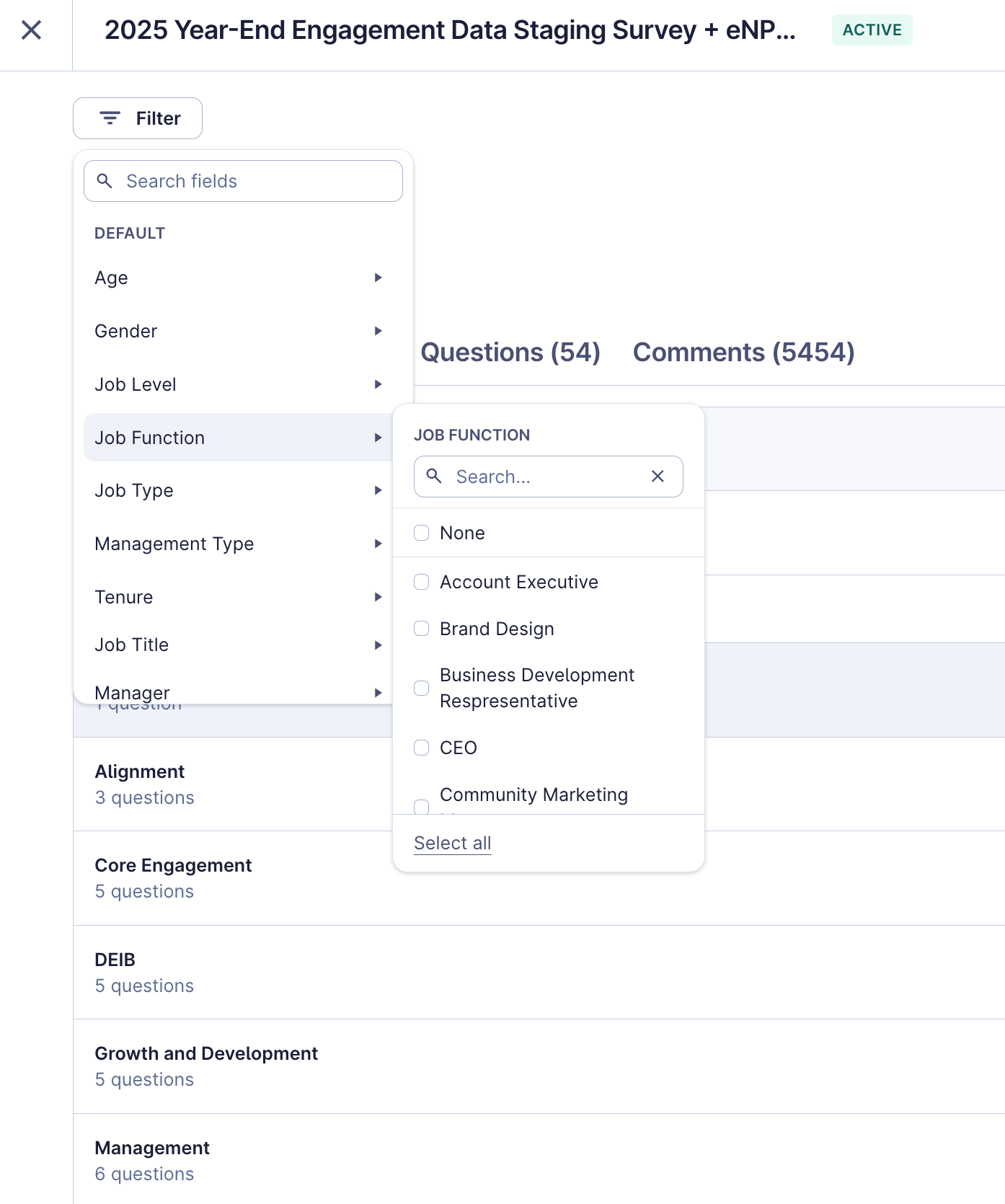
Job Architecture and Management Type filters are now available natively in the Engagement filter bar. Admins can filter and group survey results by Job Level, Job Function, Job Type, Job Title, and Management Type (IC, Manager, Manager of Manager) without creating duplicate custom fields as a workaround. The filters apply everywhere: CSVs, PowerPoint exports, shared views, the comments tab, and survey setup. This update covers Engagement, onboarding, and exit surveys.
Lattice and Mercer 2025 Benchmarks are now live in Lattice Engagement. The Mercer updated dataset includes four aggregated benchmarks (Overall, Median, Top Quartile, Top Decile) alongside breakdowns across 8 regions, 64 countries (up from 9 last year), and 16 industries, giving teams a much richer view of how their results stack up externally.
Streamline Compensation Decisions
Two updates this month make it easier to act on compensation decisions, now with more context.
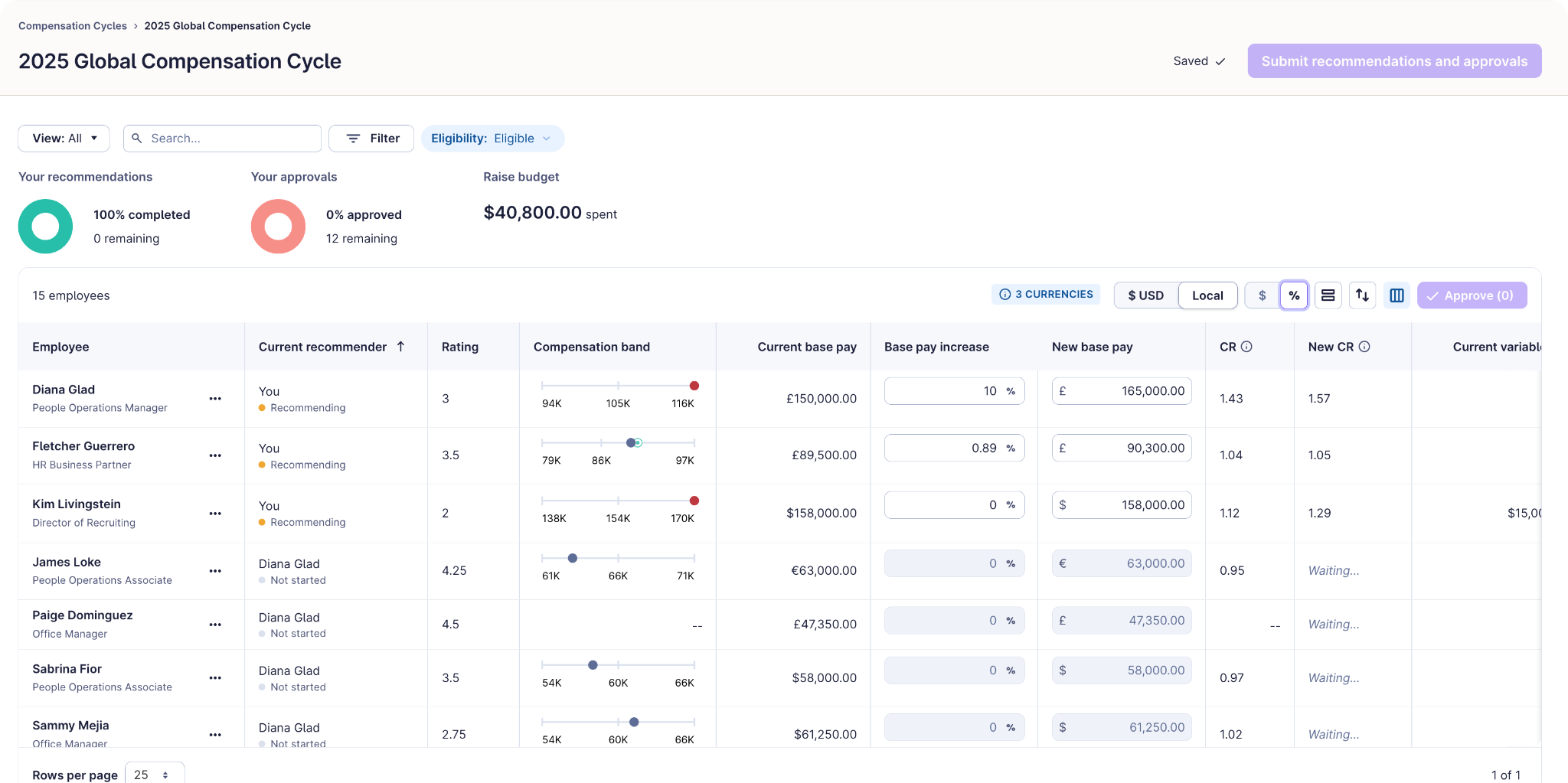
With inline editing for compensation recommendations, recommenders can now enter and update recommendations directly from the table, without toggling between a card view and a separate surface. Review employees side by side, see comp guidance in context, adjust recommendations in the row, and submit with less friction.
We also connected calibration notes and tags to the compensation workflow. Open the employee side panel in a compensation cycle and you'll now see calibration context from the linked review cycle, right where you need it, without switching tabs. If an employee wasn't calibrated, you'll see a clear empty state.
More Flexibility Across Your Data
A few updates this month expand how data flows in and out of Lattice.
- BambooHR tabular custom fields: Lattice can now pull in custom fields stored in BambooHR tables, unlocking richer, more complete employee profiles for customers using the BambooHR integration.
- Expanded field types in CSV Uploader and SFTP imports: A broader set of custom field types can now be created and updated via manual CSV upload or scheduled SFTP imports.
- Goals Write endpoint (GA): Developers can now create and update goals programmatically via the public V1 API, making it easier to sync goal data from external systems or automate goal creation during onboarding.
- Backdate calendar events: Admins can now log events with past start dates, useful when building a historical timeline during Lattice adoption or capturing events that weren't added in time.
- 1:1 log and talking point log exports: The 1:1s log has been updated with better filtering, custom date range selection, and expanded CSV exports that now include action item status, participation, private notes, and talking point comments. Managers and ICs can also now access the log directly. A new Talking Point Log lets all users see comments across talking points for any 1:1.
–
Learn more about all of our May 2026 releases and our future roadmap by visiting Lattice Product Updates or contacting your Lattice account manager.
Not a Lattice customer? Request a demo to discover how Lattice's new and existing features can help uplevel your company's HR strategy.
.jpg)



Your people are your business
Ensure both are successful with Lattice.