

You didn’t spend years learning how to handle delicate employee conversations just to be swapped for a chatbot.
But that’s how it can feel as AI tools race into HR. In fact, a third of HR professionals surveyed for Lattice’s 2026 State of People Strategy Report are less confident about their job security because of growing reliance on AI.
AI can generate polished job postings and churn out onboarding guides in seconds. No wonder our survey found 40% of business leaders are pressing their HR departments into wider AI adoption. The question is: Where does that leave the humans?
This guide will help you reframe AI as a partner, not a rival, and show practical ways to use it — without losing that human touch.
A Practical Guide to Generative AI in Human Resources
If you’ve heard the term “generative AI” tossed around but aren’t sure what it really means for HR, you’re not alone.
Here’s a quick primer before we dig into the practical applications.
What is generative AI in HR?
Generative AI, in HR terms, is artificial intelligence that you can use to create new content such as job descriptions, training materials, surveys, or code. Many HR teams are already using it for content creation: drafting internal documents and communications, summarizing feedback and meeting notes, or making repetitive administrative tasks faster and more efficient.
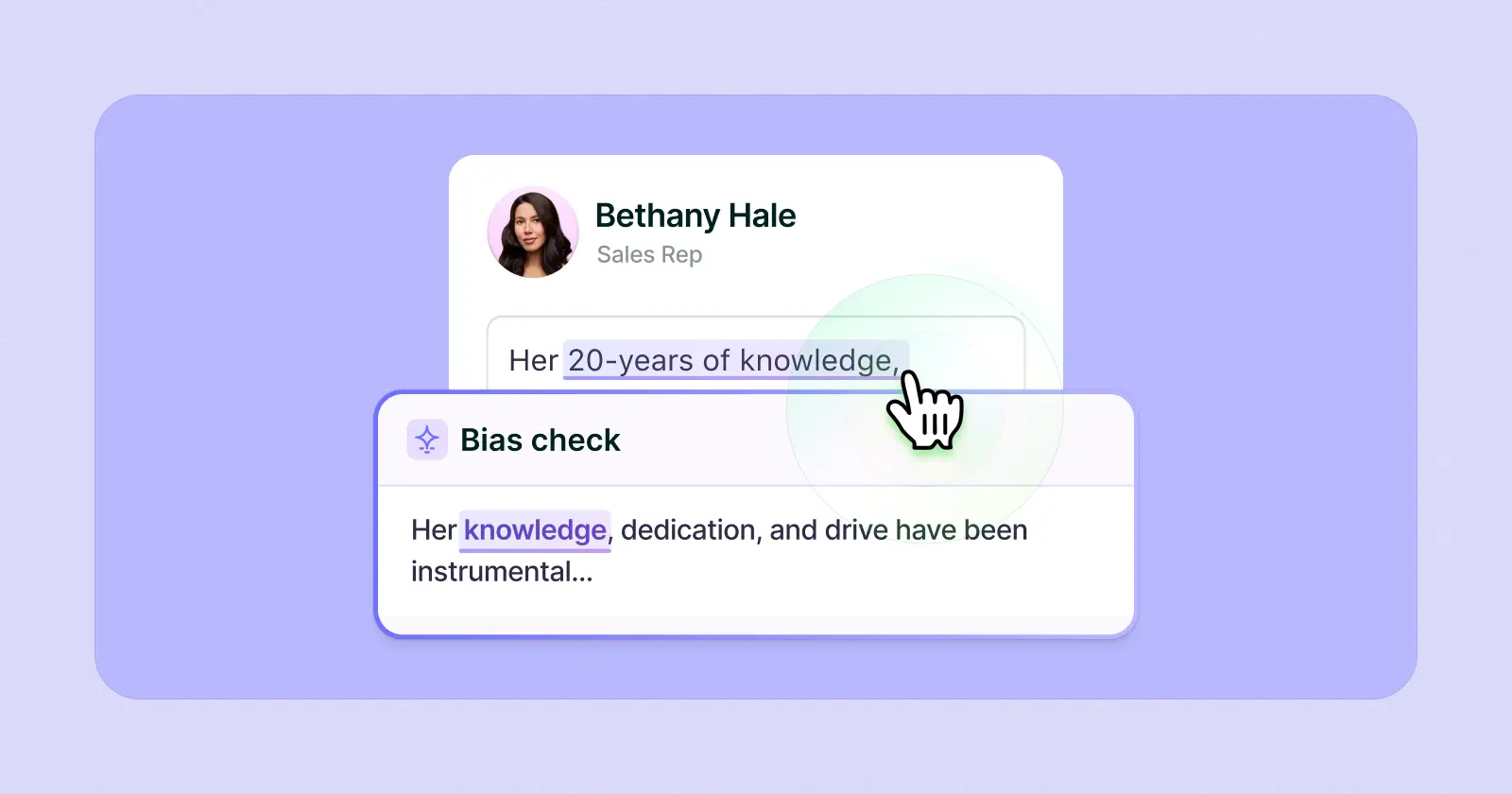
ChatGPT is probably the best-known generative AI tool, but HR teams now have options tailored to their needs. Some tools help draft policies or reviews. Others focus on research, analytics, or training content. Lattice AI is one example, helping HR teams check employee-facing documents for clarity and avoid bias.
{{rich-highlight-2}}
Properly used, GenAI isn’t a replacement for your HR team’s judgment, empathy, or creativity. It’s here to support them — so they can focus on the human side of HR.
How does generative AI impact HR processes?
HR work comes with endless admin: writing job descriptions, drafting interview questions, building onboarding guides, updating training modules, sending surveys, compiling reports…all necessary. All, frankly, pretty tedious and repetitive.
Generative AI is built for these kinds of tasks, taking the routine writing and summarizing off your plate.
Lattice’s 2025 State of People Strategy Report showed that AI is being used most in the writing-heavy parts of HR. Job descriptions were the clear leader, followed closely by performance reviews and handbooks.
Some HR teams are also experimenting with AI to condense feedback, summarize interviews, sort applications, or even flag when someone might be due for a raise.
While AI helps HR teams work faster, it can also help spot patterns in data that would be easy to miss, keep policies consistent, and tailor processes to different roles and career stages.
A Word of Caution About GenAI in HR
While 52% of high-performing HR teams surveyed for our 2026 State of People Strategy Report are “really excited” to see how AI can transform HR, it needs to be implemented thoughtfully.
As Lattice CEO Sarah Franklin wrote in the No Regrets Playbook: “AI requires intentional planning, ownership, and accountability to truly drive value.”
One of the major risks with AI is “hallucination,” where AI generates content that looks convincing but is flat-out wrong.
In HR, the stakes are high. An eligibility form with the wrong legal criteria could misinform new hires and expose your company to compliance issues. A poorly summarized performance review could distort promotion decision-making. Even a flawed onboarding guide can leave employees confused from day one. AI can help with speed and scale, but it can’t replace human judgment. Every output needs a second set of eyes before it reaches employees.
How HR Teams Are Already Using GenAI
Generative AI isn’t a “someday” thing in HR. It’s already here. Gartner found that over half of organizations were piloting or using it as far back as 2023, and 78% of respondents said its benefits outweighed the risks. The question now is how to use it in a way that’s actually useful.
Here’s how it can plug into the day-to-day work of HR:
Talent Acquisition
- Draft job descriptions in your company’s tone of voice.
- Auto-generate selection criteria, then use those criteria to screen résumés.
- Build question banks for consistent, competency-based interviews.
Onboarding
- Create welcome packs, emails, and first-day checklists in minutes.
- Mix text, images, and video to build more engaging onboarding materials.
- Generate quizzes to check how new hires are progressing.
Training
- Spin up training modules, roleplay scenarios, or microlearning tied to company policy.
- Adapt content to different roles and learning styles so training isn’t one-size-fits-all.
- Suggest next learning modules automatically based on skills gaps, to optimize upskilling.
Performance Management
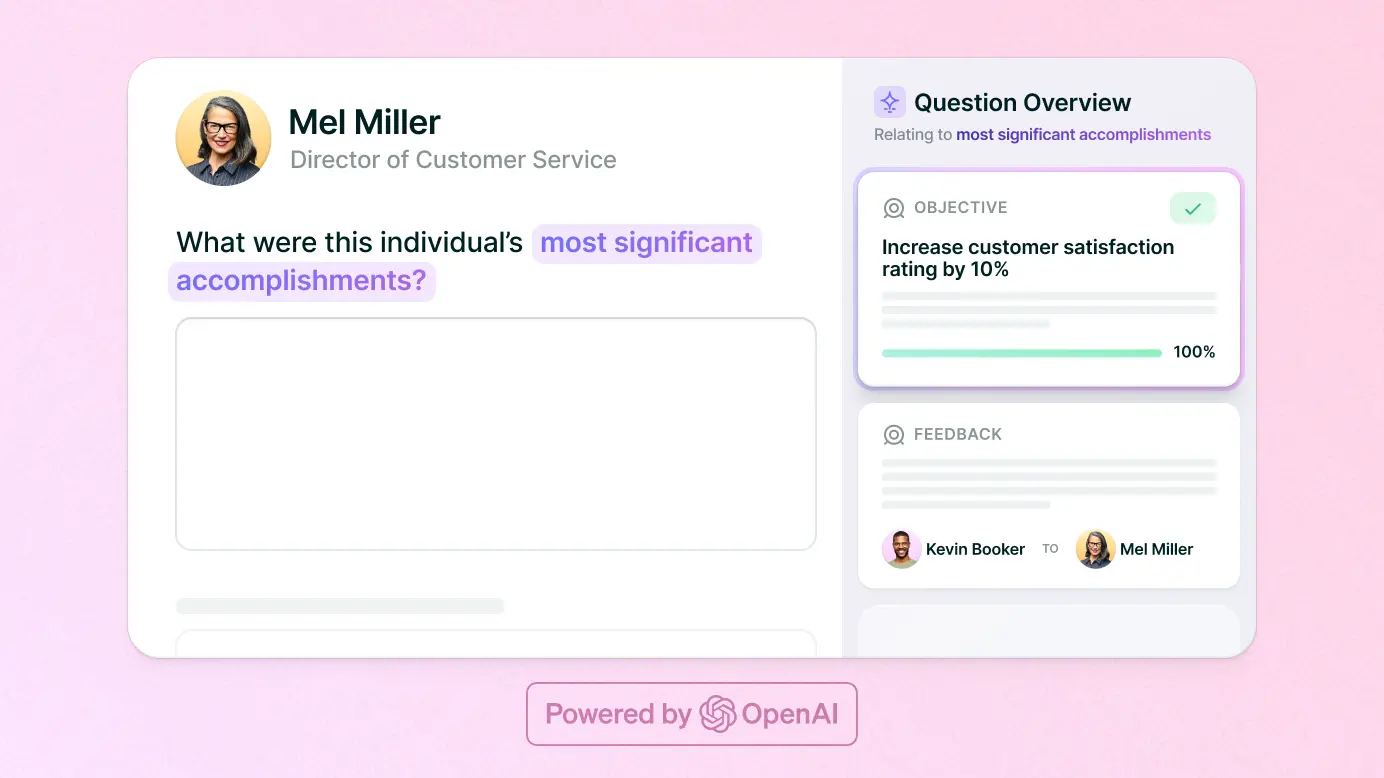
- Draft and edit performance reviews so every employee gets a fair, personalized review.
- Summarize performance data and pull in feedback and goals with tools like Lattice AI’s Performance Insights.
- Suggest employee goals and development plans based on past performance.
- Analyze performance metrics and suggest constructive, tailored feedback.
Employee Engagement
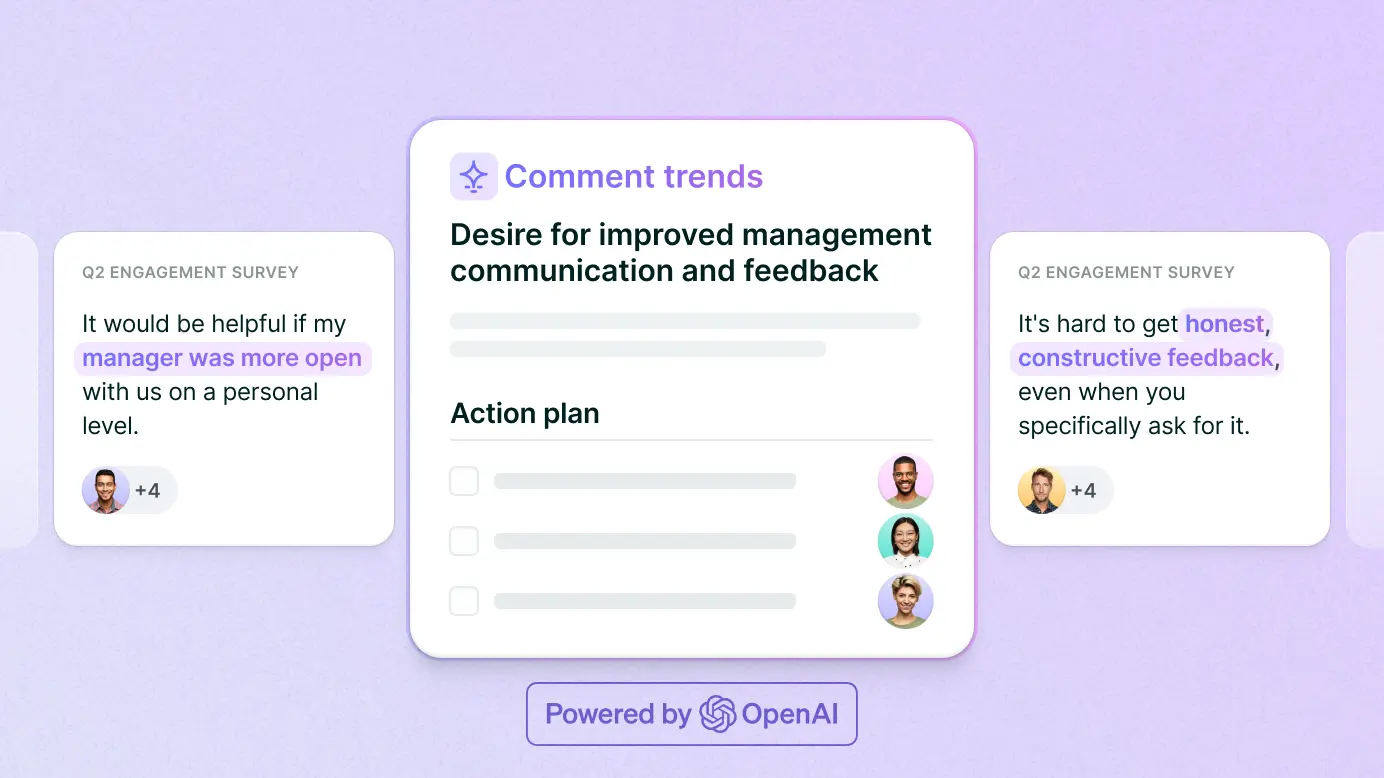
- Run employee experience surveys and analyze the open-ended comments with a feature such as Lattice AI’s Engagement Insights.
- Automate milestone celebrations or recognition messages.
- Flag patterns like low morale, overwork, or collaboration issues, so you can address these quickly. For example, Lattice AI’s Manager Effectiveness tool helps leaders detect and target burnout risks in their teams.
Document Generation
- Draft policies, contracts, or compliance templates in minutes.
- Scan documents for legal requirements or eligibility criteria you might miss.
Data Analysis
- Turn raw talent management data into clear insights on hiring, retention, or engagement.
- Generate charts and reports you can share with managers or executives right away.
Internal Communications
- Draft company-wide emails, policy updates, or newsletters in a consistent tone.
- Use predictive suggestions to speed up everyday HR messages.
Workflows
- Map out multi-step processes like hiring or workforce planning.
- Standardize those processes with templates, automated communications, and reminders.
How to Use Generative AI in HR Effectively
If you’re wondering when the right time is to start using GenAI, the answer is now.
If you’re wondering how, start by starting. You don’t have to become an expert first. Experimentation is at the heart of coming to grips with AI.
Start with repetitive, time-consuming tasks, like drafting job descriptions or summarizing survey feedback. As Franklin advised in the No Regrets Playbook, “Small, steady steps are often more impactful than massive, one-time changes.”
Here’s a step-by-step guide to getting started:
1. Set the objective.
Define your HR goal. Are you trying to save time? Do you want more accurate reports? Do you want to get better at making fair promotion decisions?
Set measurable outcomes, and assign accountability so that you know who owns and oversees the process.
Example: Onboarding Multiple New Hires
When you’re onboarding a large cohort of recruits, the challenge is balancing consistency with personalization. Everyone needs the same baseline experience, but engineers, sales reps, and customer support staff will each need different materials. Generative AI can help by creating those variations quickly, while keeping everything aligned with company policies.
Here’s an example of the objectives you might set for this use case:
- Objective: Deliver a consistent, engaging onboarding experience for all new hires, while tailoring key content to their roles.
- How GenAI helps: Generate welcome materials at scale, align content with company policies, and customize checklists or training modules for different positions.
- Success metric: Average onboarding feedback score of 80% or higher across the cohort
- Responsible person: HR onboarding lead
2. Frame your prompt.
AI is only as good as the data you feed it. It’s not enough to simply say: “Create a first-day schedule for a new employee.”
You need to give your AI tool detailed context and well-tailored prompts if you want useful and insightful outputs. Think in terms of:
- The role or process details (title, seniority, department)
- The tone of voice (formal, friendly, inspiring)
- The format (bulleted list, paragraph, word count)
- The context (company culture, values, goals)
For our onboarding example, you might use a prompt like this:
“Create a first-week onboarding plan for a group of new remote hires at [your company]. Include shared activities like welcome sessions and policy overviews, plus role-specific tasks for engineers, sales reps, and customer support. Keep the tone warm and approachable, and present the plan in bullet points.”
3. Analyze output and modify.
Read the AI outputs to make sure they’re accurate. Review the tone and search for any biased or exclusionary language. Check for any legal or compliance gaps. Then refine your draft.
You can either do this manually or you can continue working with your AI. The key is to keep the conversation going. Rework your prompts until the output fits your needs.
For example, our onboarding prompt for a group of new remote hires might generate a generic schedule without role-specific sessions. You could follow up by asking the AI to add technical setup for engineers, product demos for sales reps, and customer system training programs for support staff — all while keeping the shared activities the same.
4. Protect data privacy.
Consider the confidentiality level of data (e.g., salary details, internal strategies) before including them in any AI prompts. It’s essential that you protect sensitive data related to your business and to your employees. When using generative AI, you should never input personal identifiers such as names or employee numbers.
Use an approved AI system and store AI outputs securely, just as you would with any HR documentation.
For example, when creating an onboarding plan for a group of new remote hires, you might include the departments or roles of people they’ll meet with — “engineering lead” or “sales manager” — but you wouldn’t list individual names or contact details.
For more on AI best practices and mitigating risk, check out our webinar on how to approach generative AI at work.
How to Frame HR Prompts for the Best Results
The more context you give your AI, the more useful the output will be (remembering to balance that with confidentiality — don’t drop in names, salaries, or anything sensitive).
Once you know your objective, you can shape your prompt in a few different ways. Most fall into three main types:
1. Generative Prompts
Generative prompts produce entirely new content from scratch, according to the guidance you provide. They’re the ones you’d use for creating new job descriptions or ads, onboarding schedules, or training scripts.
How to frame your generative prompt:
- Spell out the details of the role, process, or output you need. Provide the context, specify your preferred tone, and give guidance on the structure.
- Include any constraints, such as word count, exclusionary language, or specific audiences.
What to be careful about:
Generative prompts create entirely new content, so you have to be especially careful about what that content contains. Make sure your guidance is clear, and always review outputs for accuracy, inclusivity, and compliance.
Example prompt:
“Write a job description for a senior data analyst at [your company], focusing on problem-solving, statistical analysis, and collaboration. Include sections for role summary, key responsibilities, and required qualifications. Use a professional but approachable tone.”
2. Reductive Prompts
These are prompts that condense existing content. In the HR context, you might use a reductive prompt to extract key points from interview transcripts, get an overview of engagement survey results, or summarize a new policy document.
How to frame your reductive prompt:
- Copy and paste a block of HR content, include a document or link, and ask for a concise, structured summary.
- Specify your audience and the format for the output.
What to be careful about:
Be conscious of any sensitive or confidential data that the existing content might contain — especially any employee data.
Example prompt:
“Summarize these 50 employee survey comments into three bullet points that spell out the most common engagement themes in plain language suitable for a leadership update.”
{{rich-highlight-3}}
3. Transformative Prompts
These are prompts that reword, rework, or reframe content without changing the core information. You could use transformative prompts to present your content to a new audience, alter the tone, or change the format, such as turning an HR compliance policy update into a brief staff announcement.
How to frame your transformative prompt:
- Provide your source content and ask the AI to rewrite it for a different audience or purpose.
- Be clear about the tone, complexity, style, and length you want.
What to be careful about:
Be diligent when reviewing the outputs. Changing the tone could cause unexpected changes in the meaning.
Example prompt:
“Rewrite this formal benefits policy into a friendly, 150-word email to employees, using clear everyday language and bullet points.”
We’ve put together a bank of 42 AI prompts for HR teams to get you started. Adapt any of these to suit what you want to ask your AI tool.
Putting GenAI to Work in HR With Lattice
AI in HR isn’t about replacing jobs. It’s about replacing inefficiency.
But getting value from AI means moving beyond one-off experiments with ChatGPT. Here are some principles to help you use AI in a way that’s effective and human-centered:
- Start with low-risk, high-volume HR tasks. Use AI first where errors are less damaging, like for drafting job postings or summarizing survey responses.
- Build reusable prompt libraries. Don’t start from scratch every time. Create and refine prompts for recurring HR initiatives (like recruitment processes, performance reviews, or engagement surveys), then standardize them across the HR function.
- Put policies in place. Clear guidelines ensure everyone uses AI responsibly and consistently. They also reduce risk by setting boundaries on what data can and can’t be shared. If drafting a policy feels daunting, start with our AI usage policy template.
- Fine-tune with your own data. Train AI tools on your company’s tone, policies, and values so outputs stay consistent and compliant.
- Use AI as a signal, not a verdict. Treat AI insights as conversation starters. For example, if Lattice AI’s Engagement Insights tool surfaces signs of burnout, that’s your cue to investigate, not a conclusion on its own.
- Audit regularly. AI evolves fast. Set a cadence to review where you’re using it, what’s working, and what might need new guardrails.
This is the philosophy behind how we’re building AI at Lattice:
- AI Agent gives employees instant answers about policies and processes, freeing HR from routine questions.
- Manager Effectiveness highlights early signals of burnout or morale issues so leaders can act quickly.
- Performance Insights pulls together achievements, goals, and feedback into reviews that are faster to write and fairer to deliver.
- Recommended Growth Plans give your employees personalized career tracks to follow.
- Engagement Insights synthesizes employee survey results.
AI in HR is about more than drafting documents. It’s about creating feedback loops, surfacing patterns leaders might miss, and giving people teams sharper tools to make decisions with confidence.
{{rich-highlight-1}}
Get ahead of the game with Lattice AI.
Save time, drive employee performance, and unlock manager insights with Lattice AI. Discover how with a free demo.
Your Always-on HR Partner
Lattice AI generates real-time recommendations to improve the quality of performance feedback. Take a free tour to see for yourself.

Turn AI buzz into real business impact.
See how real HR practitioners leveraged AI to run better performance and engagement programs.